How to Write a Resume in 2025 (Step-by-Step Guide That Actually Works)
Learn how to write a resume in 2025 with expert tips, examples, and formats that get noticed by recruiters and pass ATS scans.


Updated Jan 1, 2026
Read
22 min
In a world where AI and remote hiring dominate, how can you ensure your resume rises above the rest?
Writing a resume in 2025 is no longer about simply listing your jobs. With AI screening and remote hiring, your resume must stand out. Role titles are changing, and competition is fierce. Craft it to have a sharp edge, display intelligence, and reflect your unique style.
Think of it as your personal brand in one page (or two). One that gets seen by both machines and people.
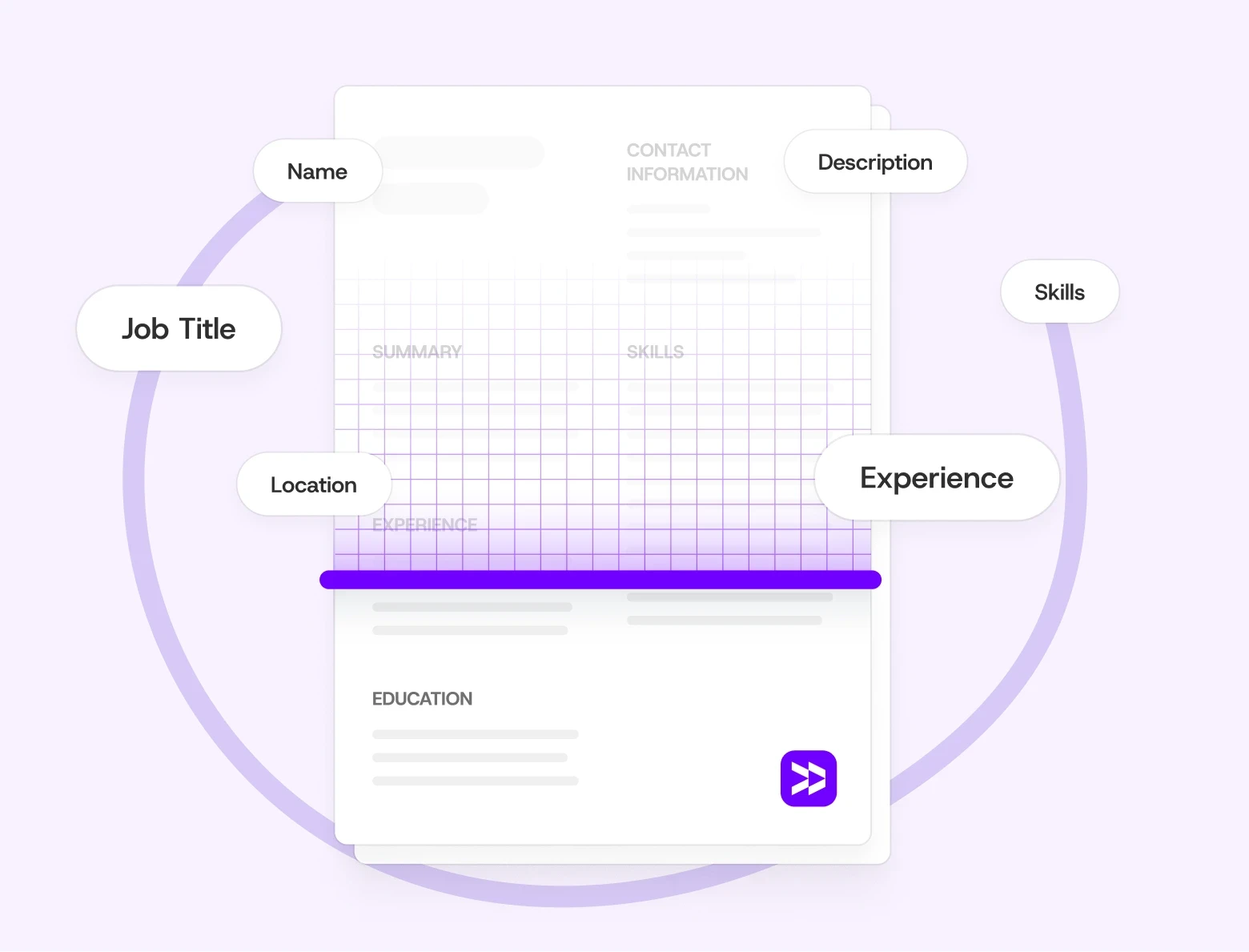
Modern resumes must impress both Applicant Tracking Systems (ATS) and real recruiters. This means clear formatting, smart keywords, measurable results, and a modern design.
This guide helps you at every step. It covers choosing the right format and writing each section. You'll find practical tips, examples, and insider advice from years of hiring experience.
What Is a Resume (and Why It Still Matters in 2025)
A resume is a brief summary of your professional journey and qualifications. It's designed to show why you’re the best fit for a specific job.
In 2025, digital portfolios and LinkedIn profiles matter more than ever. However, your resume still serves as the centerpiece of your professional story. Hiring managers and recruiters usually look at this first. It’s crucial for deciding who advances in the process.
What’s changed in 2025 is how resumes communicate value. The best ones mix data and storytelling. They highlight measurable achievements and show authentic personality.
Pro Tip: Curious about when to use a CV instead of a resume? Check out our full guide: CV vs Resume: Key Differences in 2025.
Step 1: Choose the Right Resume Format
Before you start writing, it helps to know what story you want your resume to tell. The format you choose tells your story. It shows what’s important, shapes your journey, and helps recruiters track your career.
In this section, we’ll explore three main resume formats. We’ll also discuss how to choose the one that suits your background best.
Here’s a quick breakdown of each style:
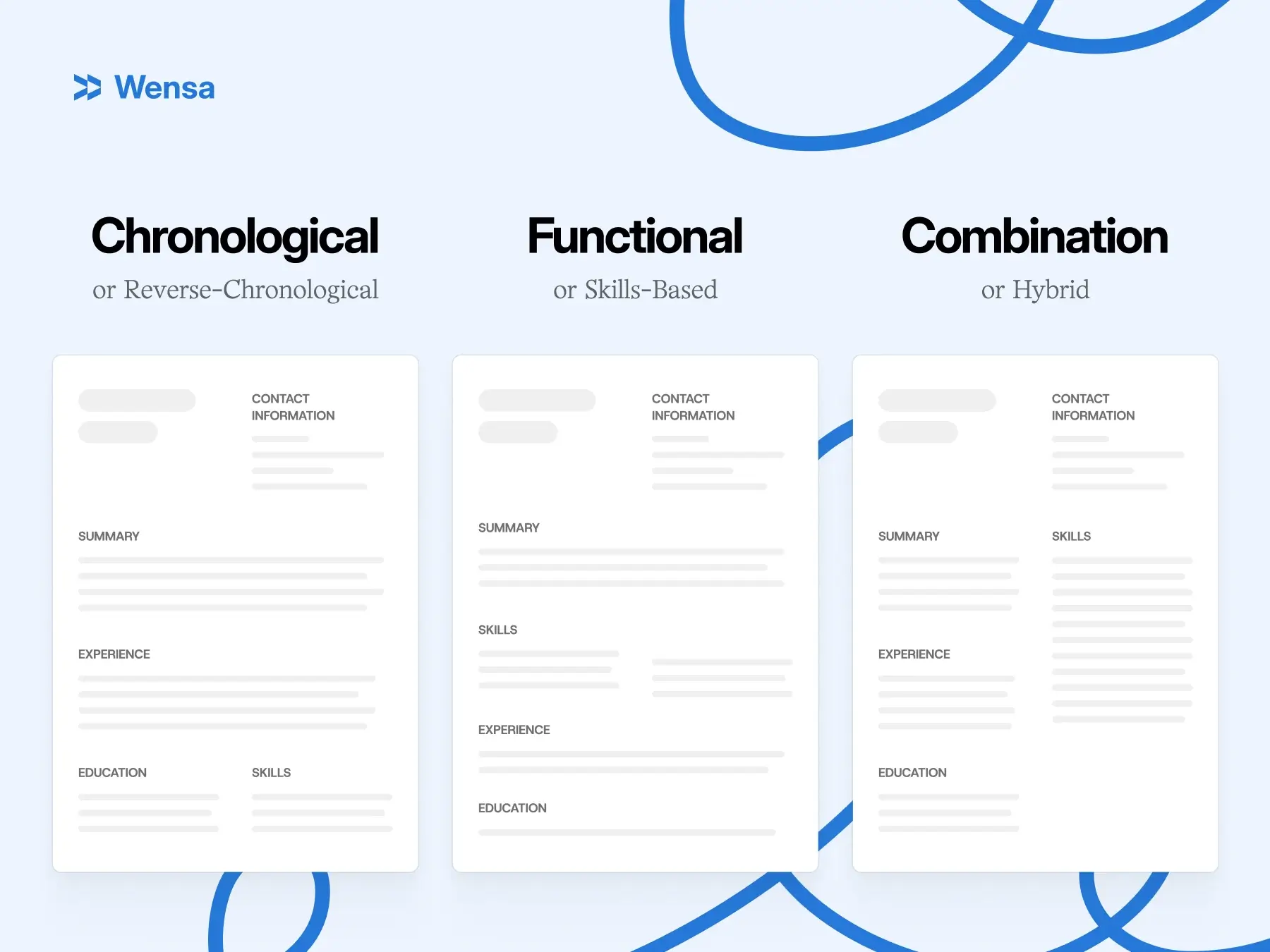
Chronological Resume Format
The most traditional and widely used format. It lists your work experience in reverse order, starting with your most recent job.
Highlights:
Lists work experience from most recent to oldest.
Best when you have consistent work history and clear progression.
Example: “Marketing Coordinator → Marketing Manager → Senior Marketing Manager.”
Good for:
Professionals with 3+ years of solid experience
Small gaps in work history
Clear upward trend in career growth
Functional Resume Format
This format highlights skills and abilities instead of specific job titles or dates.
Highlights:
Shifts the focus from where you worked to what you can do.
Great when you’ve got gaps, switching fields, or changing industries.
Example: Big section titled “Digital Marketing Skills,” then shorter work details below.
Good for:
Career changers
People re-entering the workforce
Folks with varied short roles
Combination (Hybrid) Resume Format
This format combines the best of both worlds. It highlights key skills and shows a clear work history. It's great for highlighting strengths and experience together.
Highlights:
Offers flexibility and balance, making it one of the most popular choices in 2025.
Designed to be compatible with applicant tracking systems and endorsed by recruiters.
Good for:
Senior professionals
Technical experts
Anyone who can showcase their skills and experience
For full details, see Best Resume Format in 2025: Chronological vs Functional vs Hybrid.
Step 2: Structure Your Resume for Maximum Impact
Once you’ve picked a format, it’s time to build the foundation. This section explains how to organize your resume. It should be clean, easy to scan, and friendly for both people and software. You’ll learn what to include (and what to leave out) to make your layout simple but powerful.
Every resume is unique, but strong ones share a simple structure. This makes it easy for both people and software to read them.
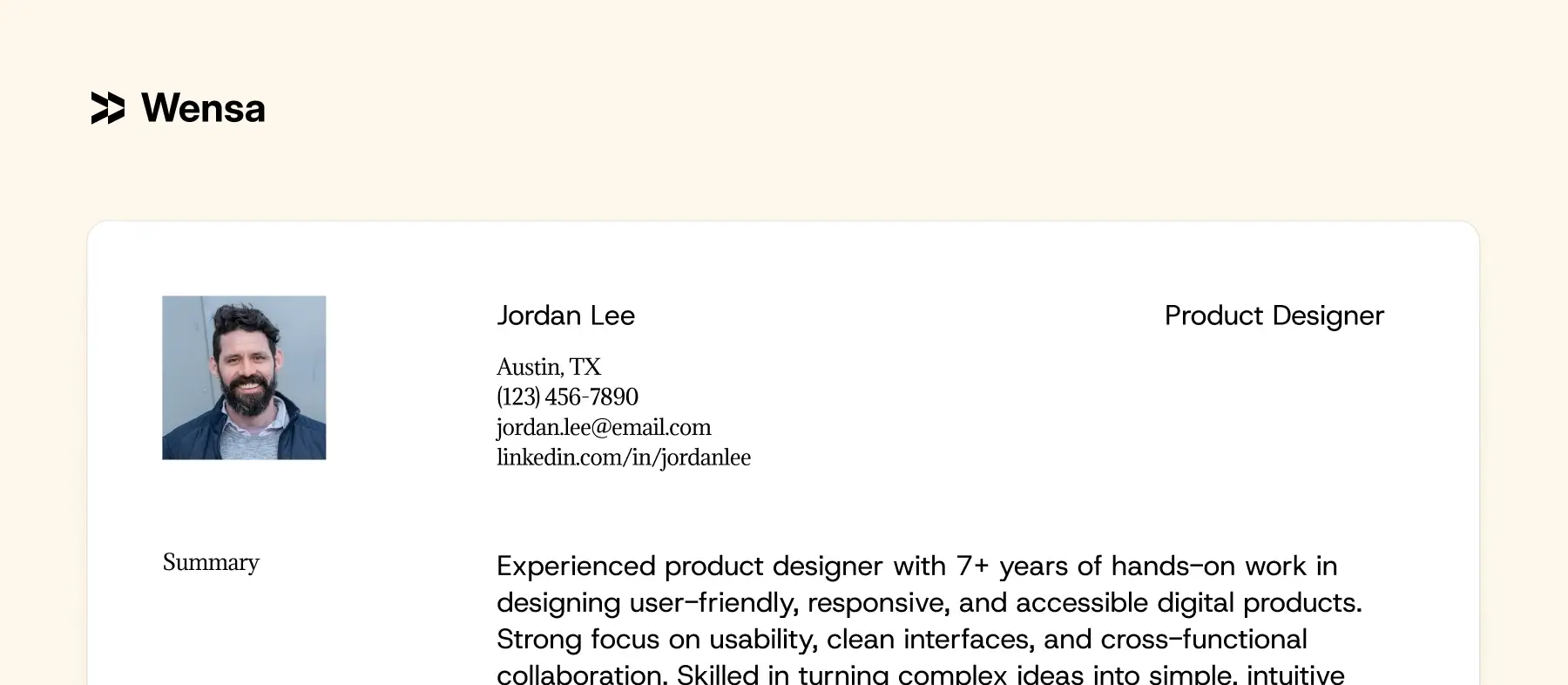
Contact Information
Keep it simple, clear, and professional.
Include:
Full name
City and state (you can skip the full address)
Phone number
Professional email address
LinkedIn profile or portfolio link (optional but highly recommended)
Example:
Jordan Lee Austin, TX
(123) 456-7890
jordan.lee@email.com
linkedin.com/in/jordanlee
Skip personal details such as age, marital status, or photos. Follow local laws if they require otherwise.
Step 3: Write a Strong Resume Summary or Objective
Your summary or objective is your first impression — a snapshot of who you are and what you bring to the table. In this section, we’ll show you how to write a few lines that grab attention. This will make employers eager to keep reading.
Think of this as your elevator pitch — the top section that tells the reader who you are and what you bring to the table.
A summary is best if you have experience; an objective fits better for new grads or career changers.
Summary Example (for experienced candidates):
"Results-driven Marketing Manager with 10+ years of experience." I lead cross-channel campaigns that boost brand visibility and ROI." Skilled in digital strategy, team leadership, and data-driven decision making.”
Objective Example:
“Motivated Computer Science graduate looking for a software development role. I want to use my problem-solving skills to help with exciting projects.””
Pro Tip: Tailor your summary for each job. Mirror the employer’s language naturally to make your resume resonate.
Step 4: Highlight Work Experience That Shows Results
This is the heart of your resume. Where you prove your value. Employers don’t just want to see what you did — they want to see what changed because of it.
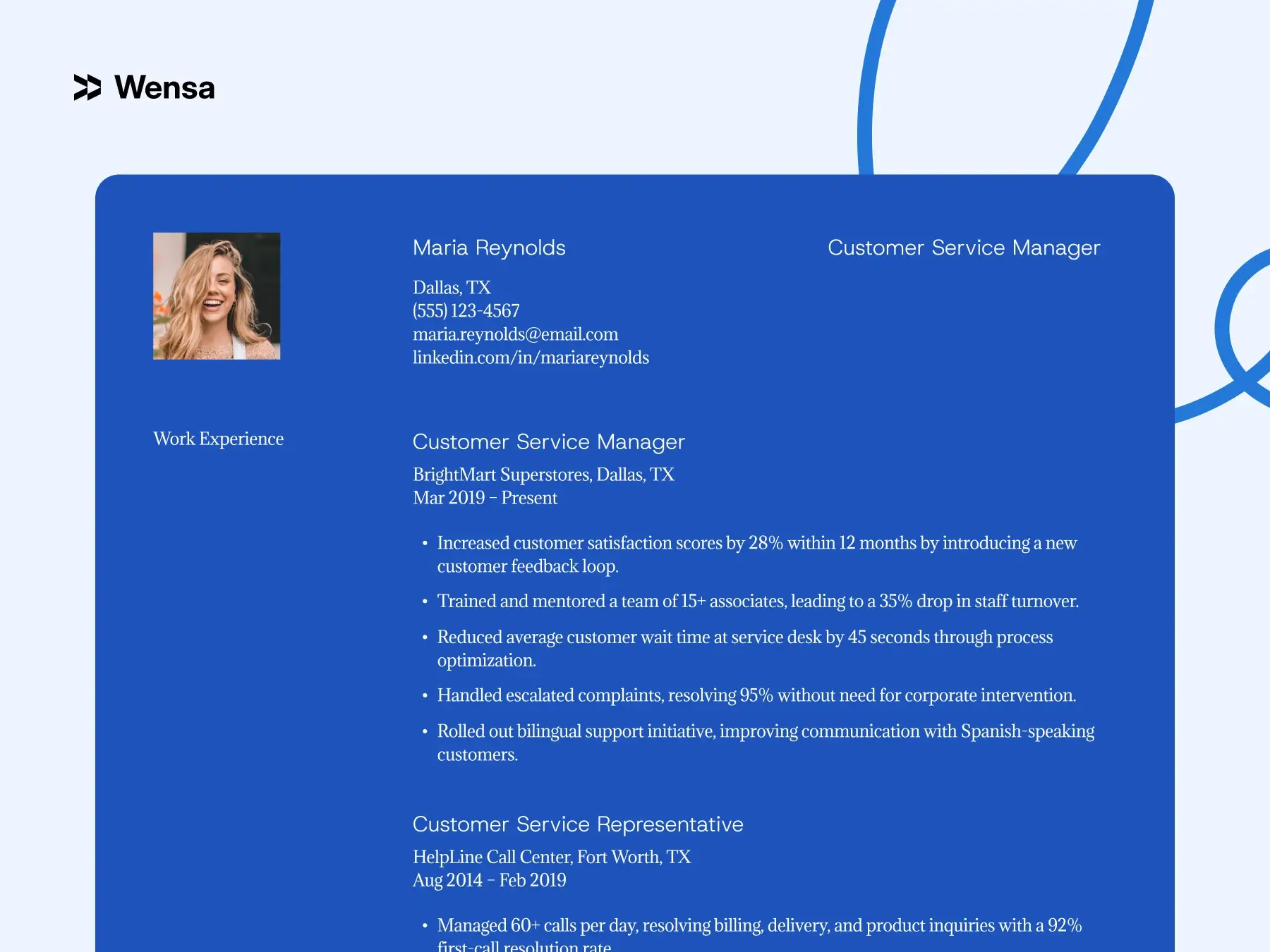
Here you'll learn to transform job descriptions into proof of impact. Use clear, measurable bullet points to show what you achieved.
Use this structure:
Job Title | Company | Location | Dates
3-6 bullet points showing what you did, how you did it, and what changed.
Example:
Software Engineer | AzureTech | Austin, TX | 2019–Present
Migrated 12 enterprise apps to Microsoft Azure. This boosted system efficiency by 25%.
Collaborated with cross-functional teams to design cloud-based solutions serving 10K+ users.
Streamlined CI/CD pipelines, reducing deployment time by 30%.
Developed new strategies that increased sales by 20%.
Implemented a training program, boosting team productivity by 15%.
Led a project that reduced costs by 10%.
Improved customer satisfaction scores, raising them by 30%.
Pro Tips:
Begin each bullet with an action verb: “Led,” “Implemented,” “Reduced.”
Quantify where possible: percentages, numbers, timeframe.
Avoid: “Responsible for…”, “Duties include…”. Instead, show results.
Before: “Responsible for managing social media accounts.”
After: “Grew social media following by 40% in six months. This was done through targeted content and analytics.”
Step 5: Include Education That Fits Your Career Stage
Whether you’re fresh out of school or years into your career, education still plays an important role. This section explains what to include, what to skip, and how to show your background. This way, you can make your story stronger.
What to Include:
List your education starting with the most recent.
Include degrees, schools, and graduation years (graduation years are optional for senior professionals).
Example:
B.S. in Computer Science University of Illinois, 2019
If you’re just starting out, it’s okay to add relevant coursework, a good GPA, or academic achievements.
Step 6: Showcase Relevant Skills
In 2025, your skills section does more than take up space. It helps you stand out to ATS systems and hiring managers.
Your skills section is where you prove you can actually do the job — but it’s also where many people go wrong. In this section, you’ll discover how to list your hard and soft skills. You’ll also see how to use keywords naturally. Finally, you’ll find the right mix of technical skills and a personal touch.
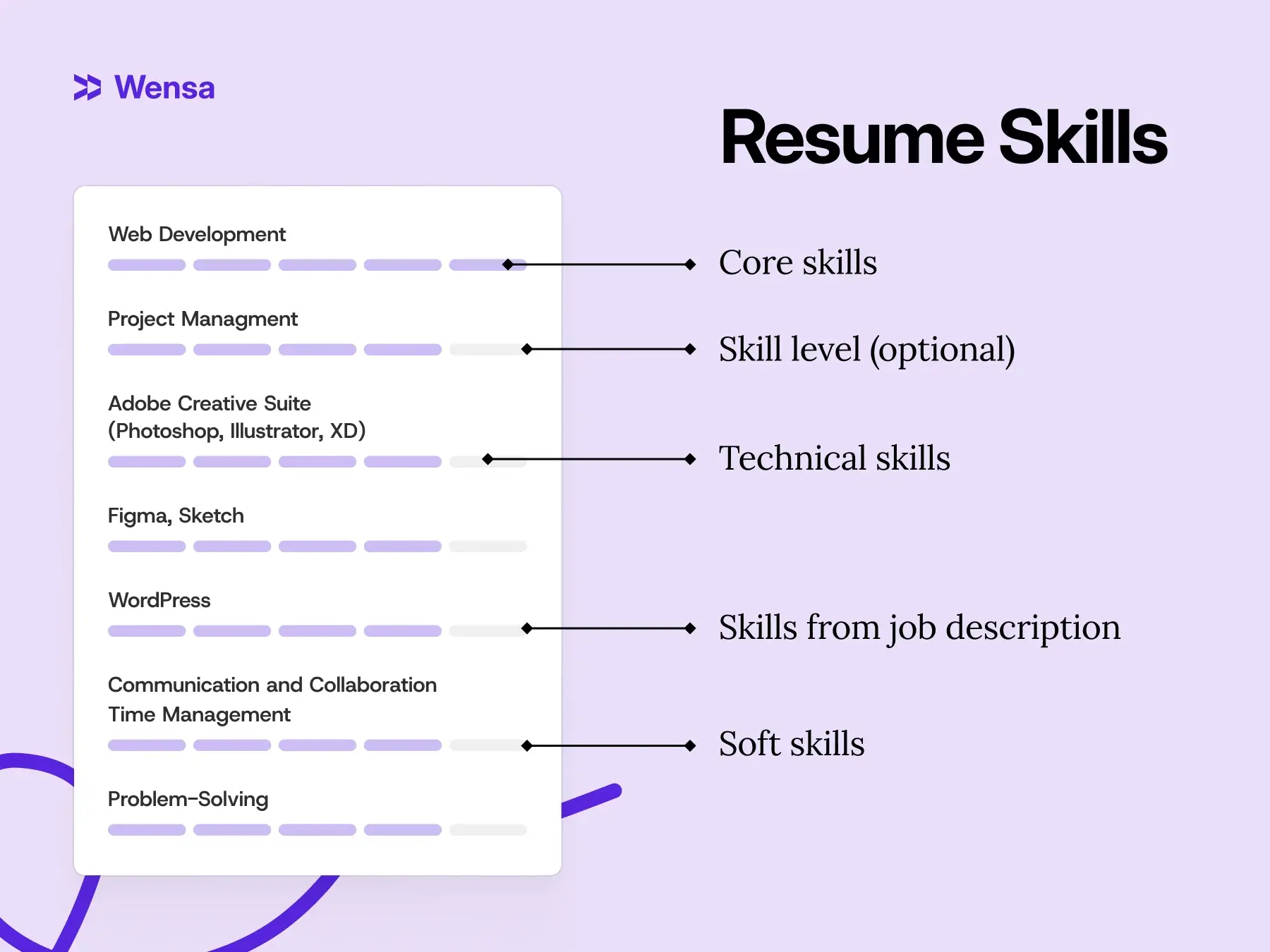
Start by grouping your skills into clear categories. This helps recruiters scan fast and makes your resume easier for software to read.
Example:
Technical Skills: Java, .NET, Azure, SQL, Kubernetes
Soft Skills: Leadership, Communication, Problem-Solving
Hard skills show what you can do — your technical or job-specific abilities. Soft skills show how you work — your communication, adaptability, and leadership. You need both to stand out.
You don’t have to list every soft skill directly. Instead, show them in action:
“Led a cross-functional team of five to deliver a product redesign two weeks early.” That line shows leadership, collaboration, and time management — all without saying “team player.””
Pro Tip: Review a few job postings in your field. The skills that appear repeatedly? Use those keywords in your resume. This helps with ATS compatibility and grabs recruiter interest.
For more ideas, see Resume Skills Section Guide: Top Hard and Soft Skills for 2025.
Step 7: Add Optional Sections (If They Strengthen Your Story)
Once the essentials are set, you can add a little personality. This section explains how to add extras like certifications, projects, or volunteer work. Use these only if they truly enhance your career goals.
Consider adding:
Certifications (PMP, AWS, Google Analytics, etc.)
Projects (especially for tech, design, or students)
Volunteer Work
Awards or Publications
The goal is to add context, not clutter. Make sure each extra adds value or speaks to the role you want. Don’t include it just because you have it.
Step 8: Make It Look Modern, Clean, and ATS-Friendly
Even the best content won’t matter if your resume looks cluttered or unreadable.
In 2025, less is more. A sleek, minimal design will outperform a flashy template every time.
Here are some easy, effective tips to format your resume. Make it professional, eye-catching, and ready for today’s hiring systems.
Formatting Tips:
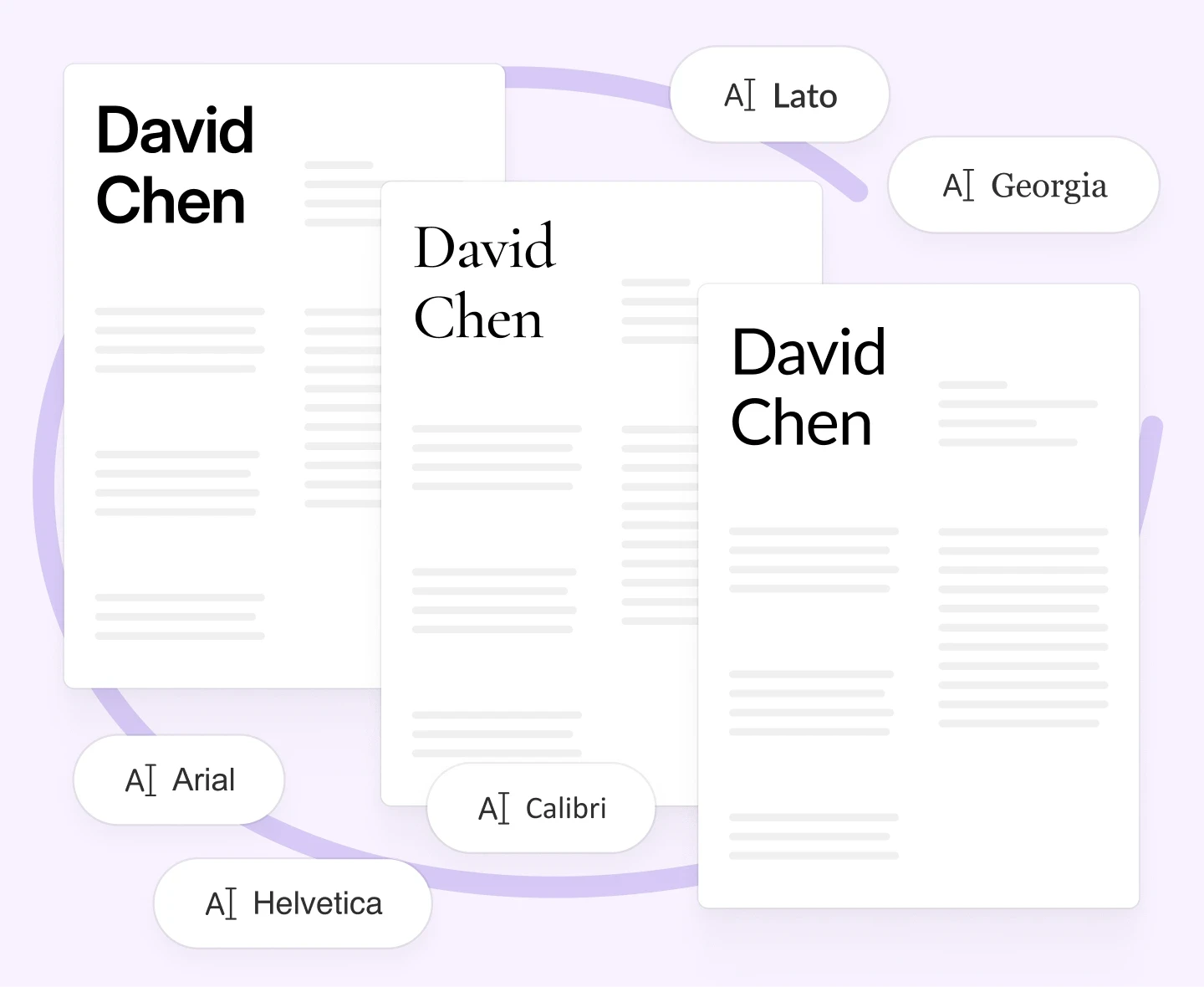
Stick to one readable, professional font (Calibri, Helvetica, or Lato).
Use clear section headers and consistent spacing.
Use ½-1 inch margins and standard font sizes (Name: 16-18 pt; Headings: 12-14 pt; Body: 10-12 pt)
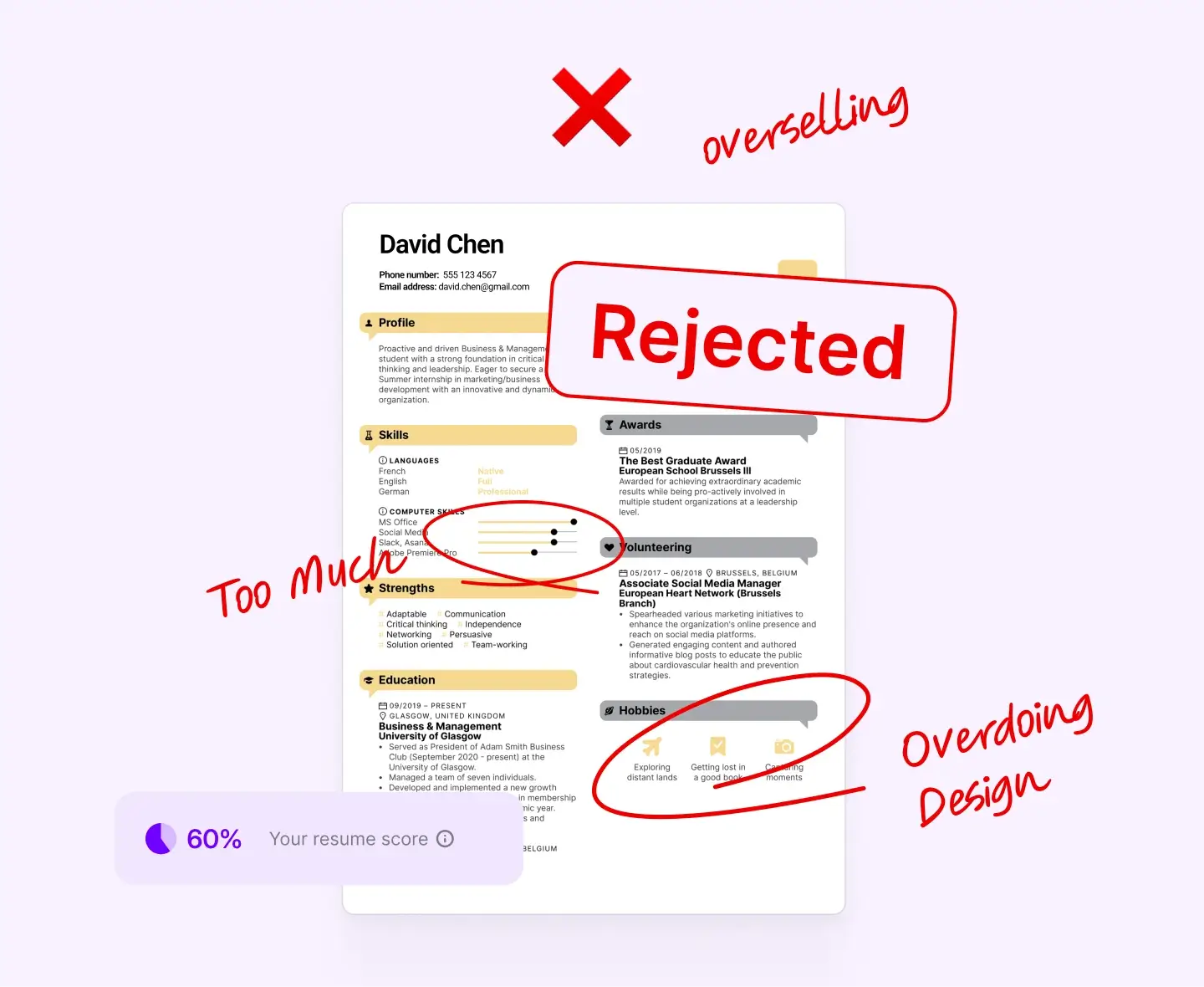
Avoid heavy graphics, icons, text boxes — ATS often misreads them
Save both .docx and PDF (some systems prefer one over the other)
Pro Tip: One accent color is fine (like navy or dark green). Too many colors can distract and confuse.
See also: Resume Fonts & Design That Impress in 2025 (Without Breaking ATS Rules).
Step 9: Use Keywords Naturally (But Don’t Overdo It)
ATS software scans your resume for key skills and tools. So, using the right words is important. But overloading your resume with them can sound forced.
Here’s how to incorporate keywords in a way that maximizes their impact:
Examine the job ad with attention to detail. Note required skills, tools, certifications. Use those exact terms when possible.
Incorporate keywords in a way that feels organic, as the context is important. Over-stuffing looks artificial and gets penalized.
Use variations of words: e.g., “project management” and “managing projects.”
Use words in your summary, skills, and bullet points.
Focus on using keywords where they make sense — in your summary, skills, and bullet points. Think about context: show how you used the skill, not just that you have it.
Blend keywords into your summary, skills, and experience naturally. For example:
Instead of:
“Expert in project management, managing projects, and project coordination.”
Try:
"Skilled in project management and team coordination—successfully delivering projects on time and under budget."
For keyword optimization, see ATS Resume Tips: How to Make Sure Your Resume Passes in 2025.
Step 10: Keep It Fresh
A great resume is a living document — not a one-time task. Even if you’re not actively job hunting, revisit it a few times a year.
This section will help you keep it updated and relevant. That way, when new opportunities arise, you’ll be one step ahead.
Every 3-6 months:
Add new achievements or numbers
Remove old or irrelevant jobs (especially if >10 years old)
Update skills or certifications
Make sure formatting still looks good (fonts, spacing, etc.)
This keeps you ready when opportunity knocks.
Common Resume Mistakes to Avoid
Even experienced job seekers slip here. Avoid these:
Typos and grammatical errors
Using one generic resume for all applications
Using outdated templates or bizarre fonts
Listing duties instead of achievements
Forgetting keywords or proper formatting
Quick Checklist:
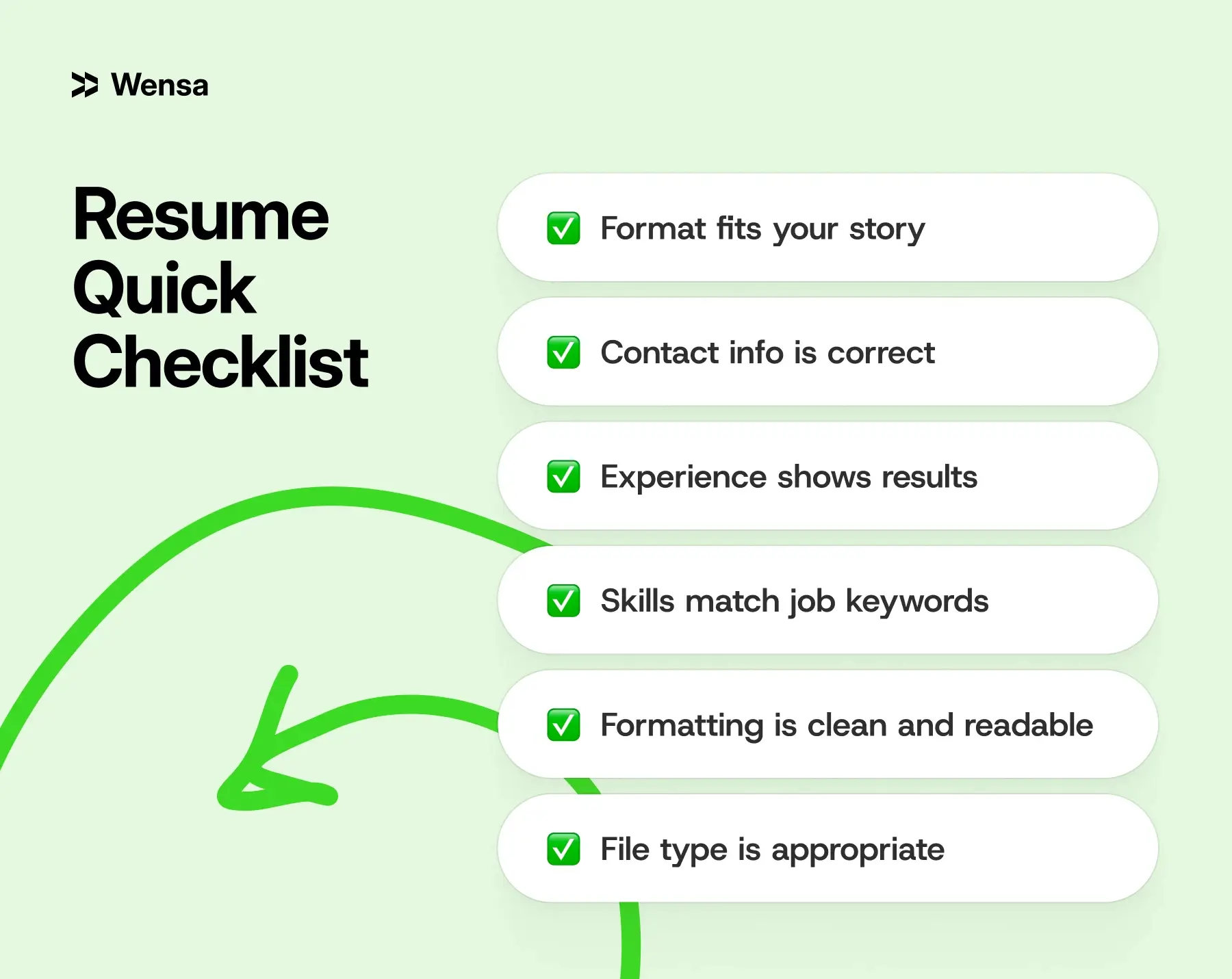
Want a deeper breakdown? Check out: Top Resume Mistakes to Avoid in 2025 (and How to Fix Them).
Modern Resume Trends for 2025
Resumes in 2025 are more than just job lists. They now show technology use, remote work experience, and a candidate’s personal brand. Here’s what’s trending, with real-world examples to help you picture how to implement them:
Micro-Resumes and One-Page Storytelling
Recruiters often skim resumes in under 10 seconds. Micro-resumes highlight 3–5 key achievements. They give a quick, impactful view without overwhelming the reader.
Example:
Sarah, a marketing analyst, summarized her 10 years of experience in a one-page resume. It focused on campaign ROI, cross-channel growth, and team leadership. She landed interviews faster because hiring managers could instantly see her top contributions.
Hybrid Portfolios
In creative, tech, and consulting jobs, connect your resume to your work samples.
This lets your skills shine.
Short video introductions can also showcase your abilities.
Example:
Jordan, a UX designer, shared a link to his live portfolio. It features three projects with clear results. Recruiters can engage with her work. This helps her resume shine compared to text-only submissions.
Continuous Learning and Micro-Credentials
Online courses, certifications, or badges show adaptability and a growth mindset.
Employers want candidates who keep skills fresh.
Example:
Alex, a software engineer, listed recently completed AI and cloud computing certifications. In the interview, he spoke confidently about using these skills on current projects. This shows he keeps up with industry trends.
Remote Work and Virtual Collaboration
Remote experience is now a differentiator.
Employers want to see proof of:
Strong online teamwork
Leadership in different time zones
Independent project management
Example:
Priya, a project manager, led a team of six across three countries. They used Zoom and Slack to communicate. Together, they finished their tasks two weeks early. This framed her remote experience as a strategic asset.
DEI Experience and Inclusive Leadership
Organizations value candidates who contribute to diverse, equitable, and inclusive workplaces. Joining mentorship programs, ERGs, or community initiatives can really impact your work life. They offer support and growth beyond your main job.
Example:
Miguel added a bullet point about his role as a mentor in a women-in-tech initiative. This shows his leadership and social impact, along with his professional achievements.
Data Storytelling in Bullet Points
Strong resumes mix context, action, and measurable results. This approach turns achievements into mini "success stories."
Example:
Instead of: “Managed social media accounts.”
Try: “Revamped our Instagram strategy. This led to a 40% increase in followers. Engagement rate also rose from 3% to 7% in just six months.”
Personal Branding Elements
A tagline or mission statement under your name can make your resume feel more personal. It also shows your value in just one line.
Example:
“Marketing strategist driving growth through storytelling and data-driven campaigns.” It’s concise, professional, and gives recruiters a quick sense of who you are.
Pro Tip: You don’t need to implement every trend. Pick 2–3 that make sense for your role and industry. A software engineer might focus on data storytelling, micro-resumes, and learning continuously. In contrast, a designer could highlight portfolios, micro-resumes, and personal branding.
For examples of clean, modern resume layouts, check out: Resume Templates by Category.
Real-World Resume Examples
Let’s bring it all together with real-world scenarios:
IT Resume Example (Experienced Professional)
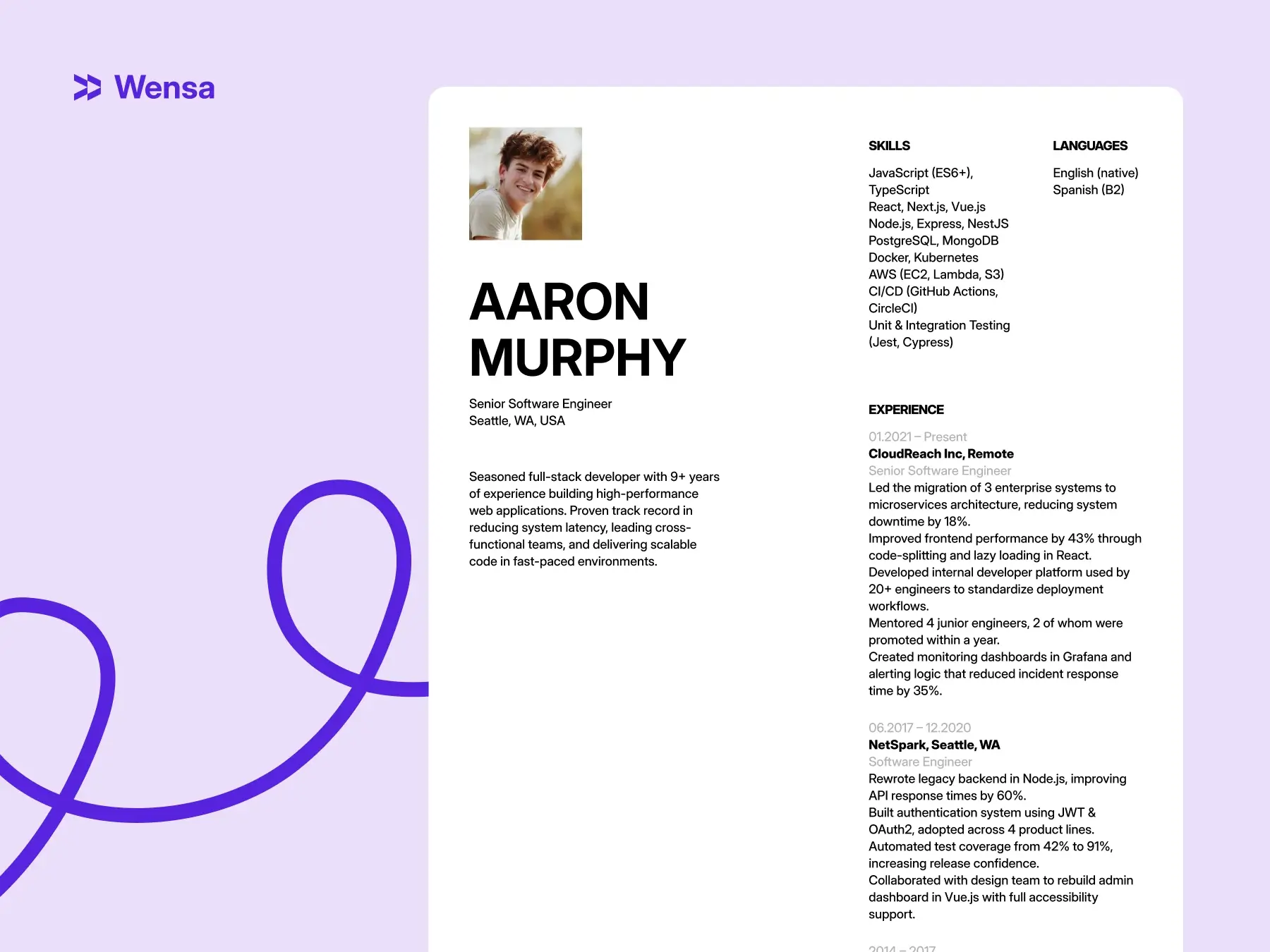
Two-column, ATS-friendly layout
Shows measurable results like “Reduced system downtime by 18%”
Prioritizes tools, certifications, and project metrics
Resume with No Experience (Student/Entry-Level)
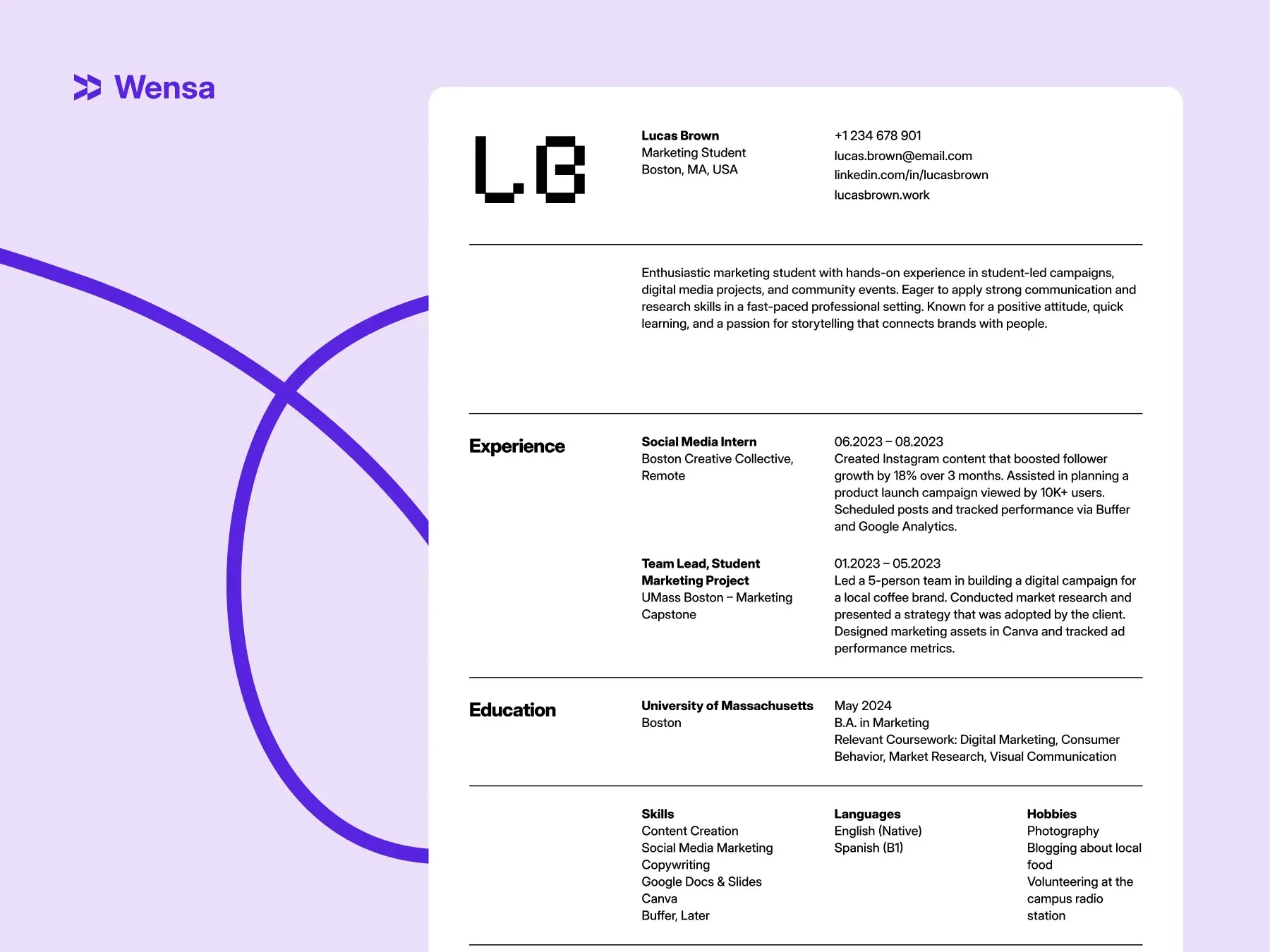
Emphasizes projects, coursework, internships
Uses skills + volunteering to build story
Layout simple and readable.
Career Change Resume Example
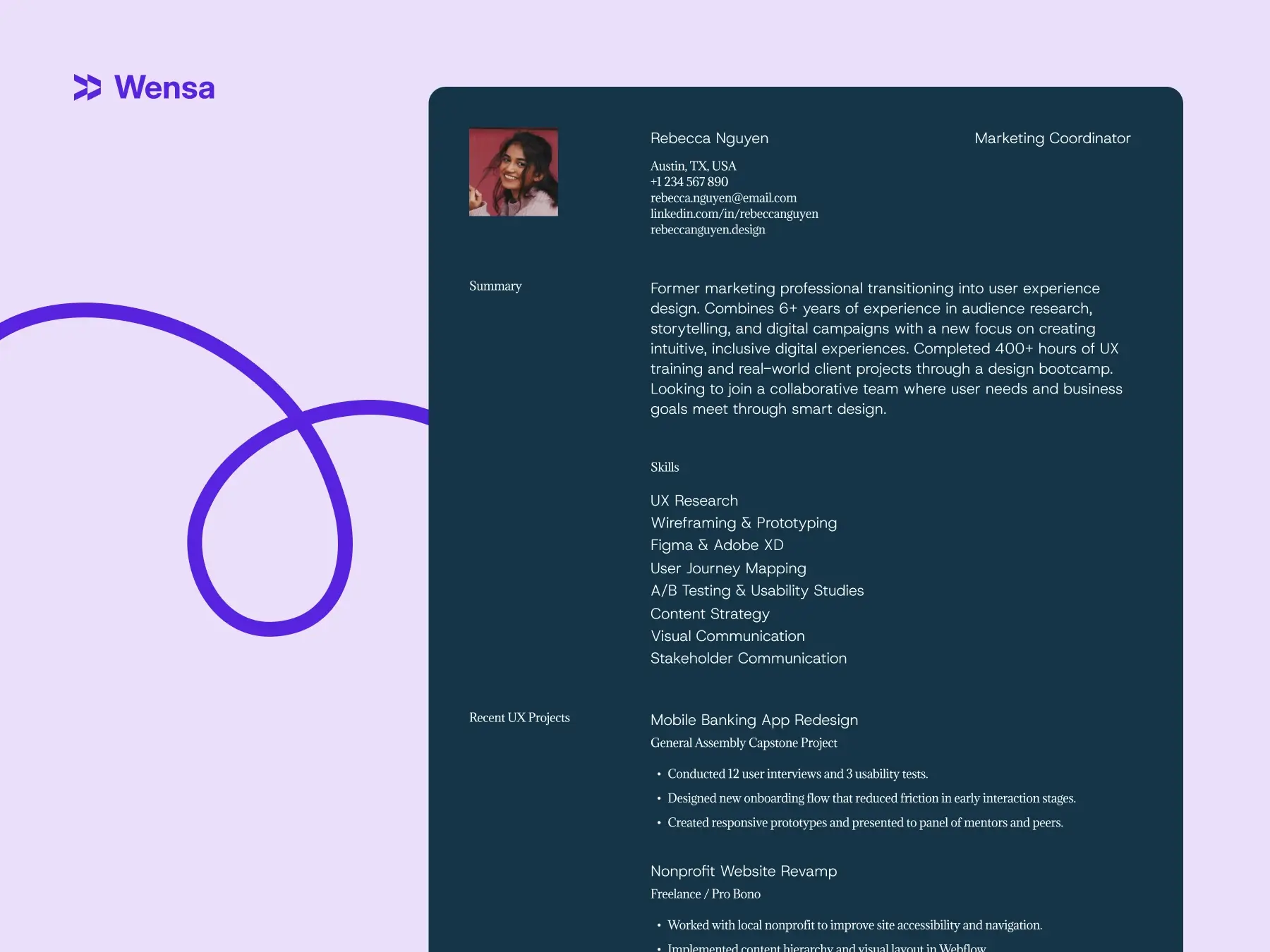
Uses hybrid format to highlight skills first
Shows transferable skills from prior career
Focus on what they can do next, not just past jobs.
These examples can guide you. Change the structure, tone, and strategy to match your career path.
FAQs — How to Write a Resume in 2025
What is the best format for a resume in 2025?
The reverse-chronological format format is best for most professionals. It’s clear, easy for recruiters, and works well with ATS. Career changers can use a combination format.
How long should my resume be?
One page if you have under 10 years of experience; two pages max if you’re senior-level. Most recruiters spend under 10 seconds scanning page one — make it count.
Should I include a summary or an objective?
Experienced professionals should use a summary. New grads or career changers can use an objective to show their goals and motivation.
What are the most common resume mistakes?
The biggest ones? Typos, outdated formats, vague bullet points, and failing to tailor your resume to the job.
Conclusion — Craft a Resume That Opens Doors
Writing a resume in 2025 isn’t just about filling in boxes — it’s about clarity, storytelling, and strategy.
Pick a clean, modern format. Use keywords naturally. Back every bullet with impact. And remember: your resume is a living document — update it, polish it, refine it as you grow.

A good resume does more than catch attention. It sparks conversations, opens doors, and helps your career grow.
Create your resume today using Wensa’s Resume Builder. It offers ATS-friendly templates that are sure to impress.
Teanca Holt is a recruiting expert and digital content writer from Utah with over five years of experience helping people craft resumes that get noticed. At Wensa, she shares practical tips on writing, career growth, and landing the job you want.