Resume Templates
Resume Templates for Every Job, Format, and Career Stage
110+ resume templates at Wensa — ATS-optimized, free to start, available in Word, PDF, and Google Docs. Find yours in under a minute.
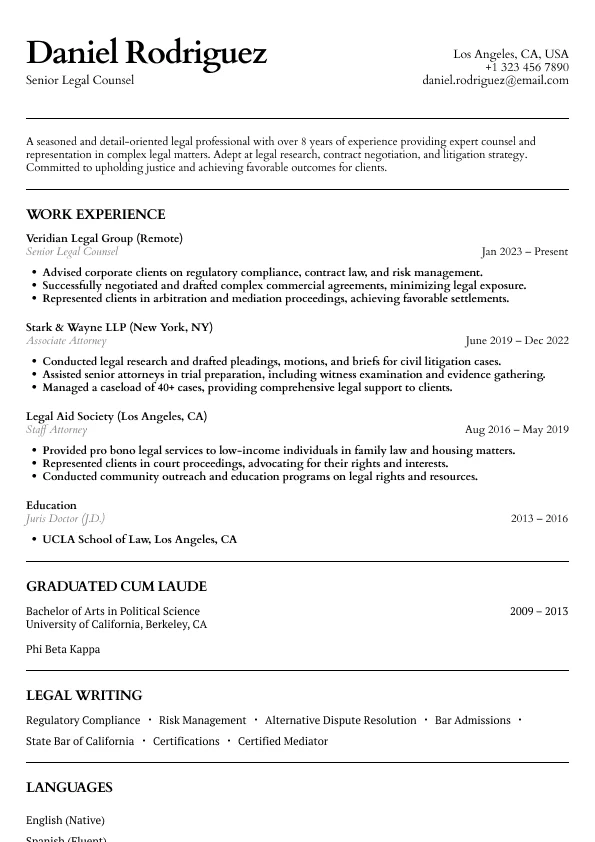
Atlas
Classic legal resume layout with clear hierarchy and refined section styling.
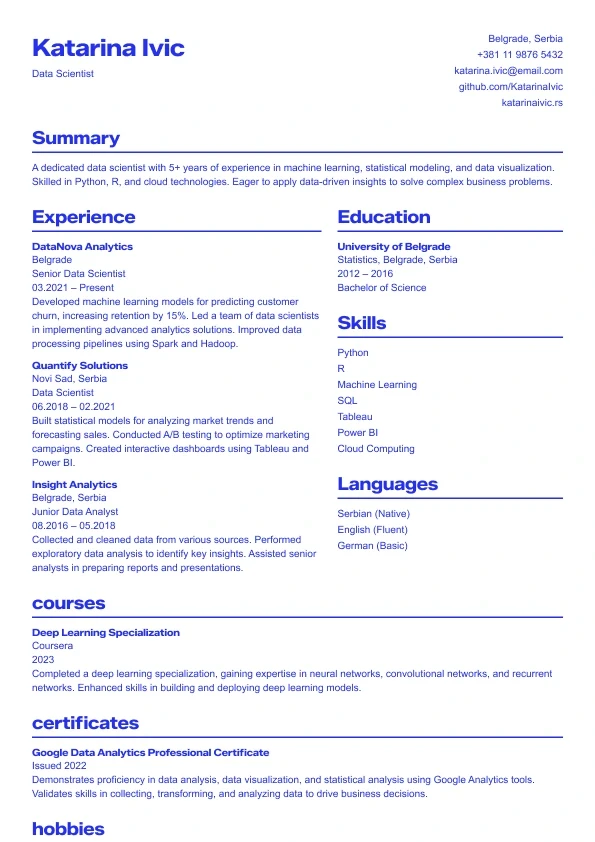
Sapphire
A bold, modern resume template with strong blue accents.
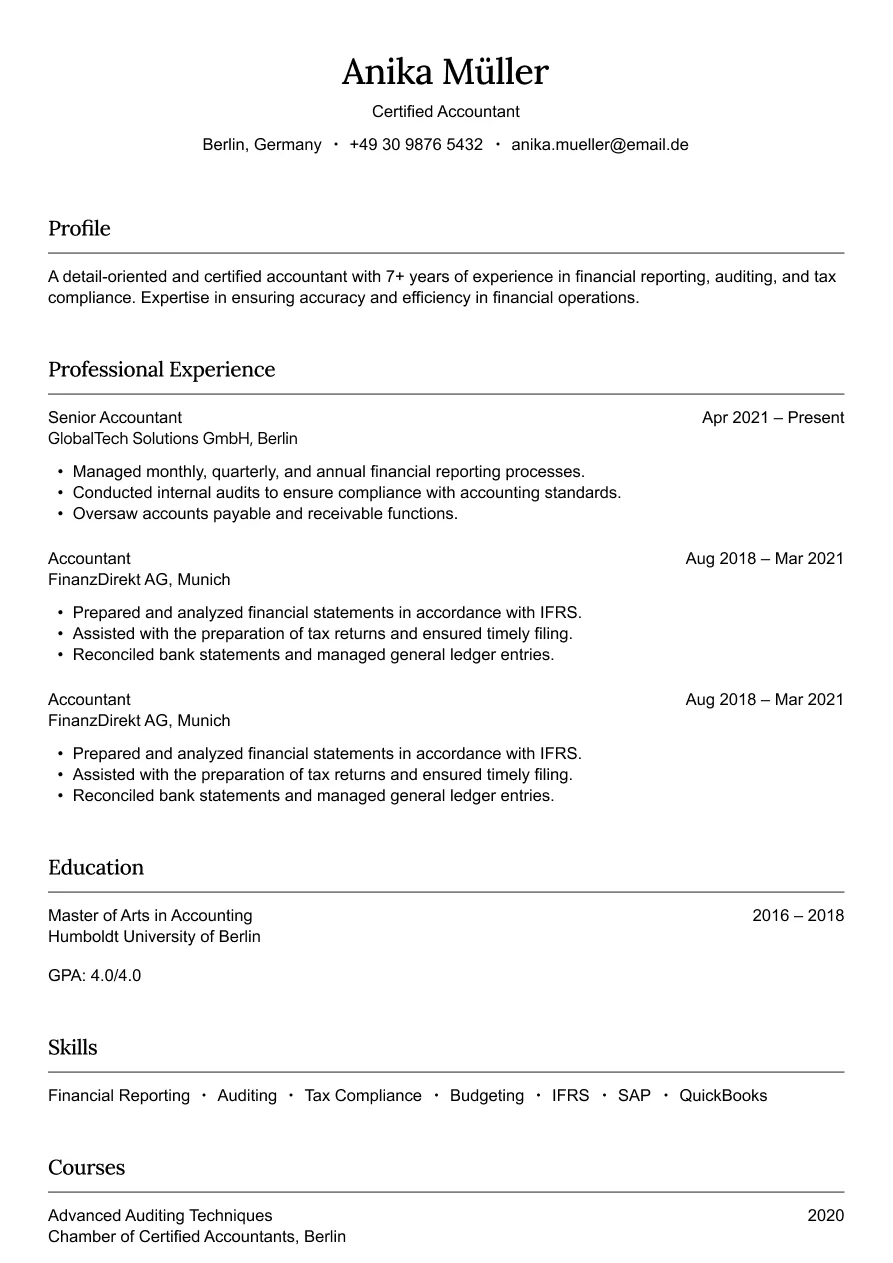
Austin
Simple and professional design for finance roles.
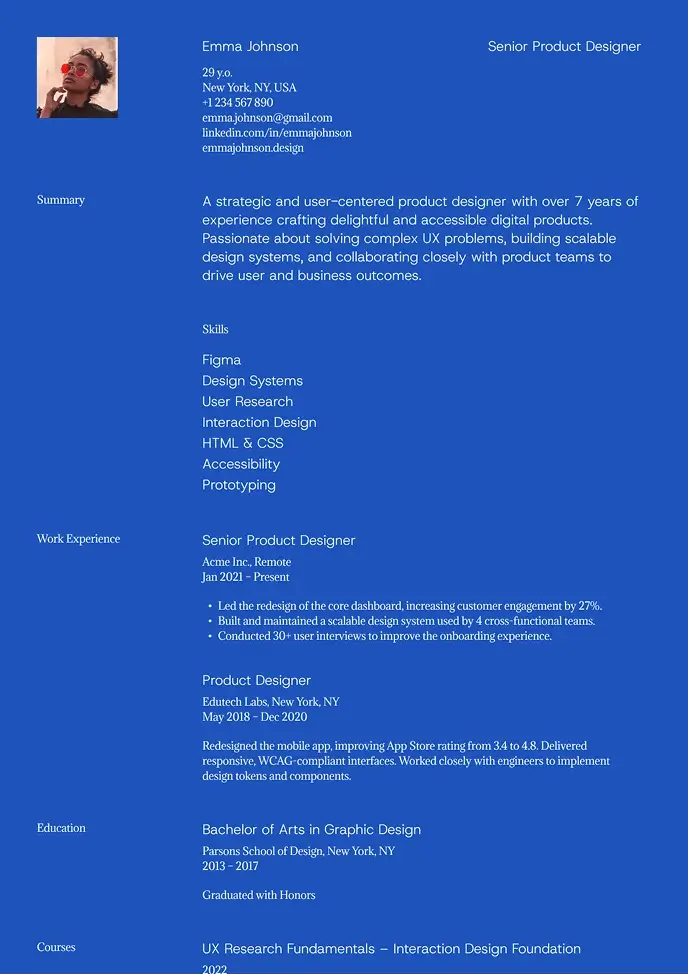
Kyoto
Bold and modern resume with strong contrast and easy structure.
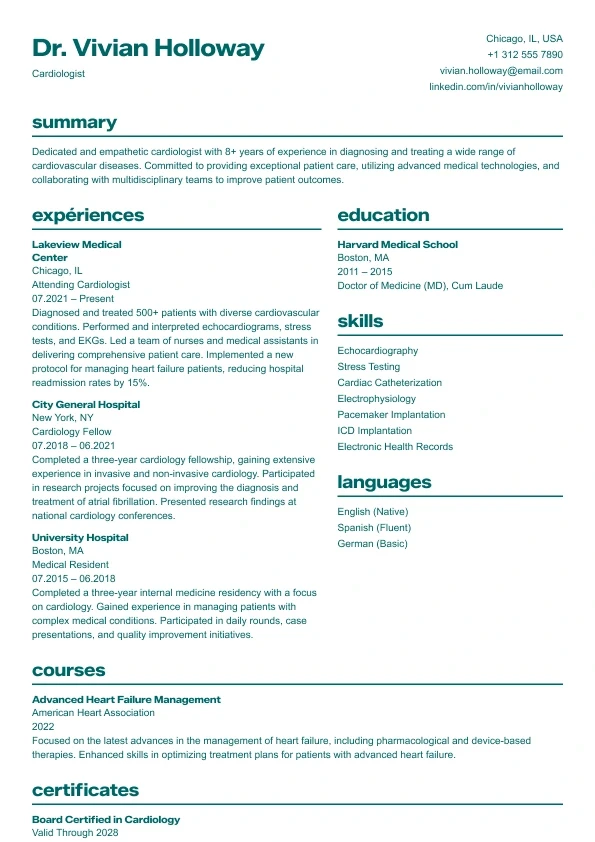
Aurora
Clean and structured layout with bold headings and a clear two-column design.
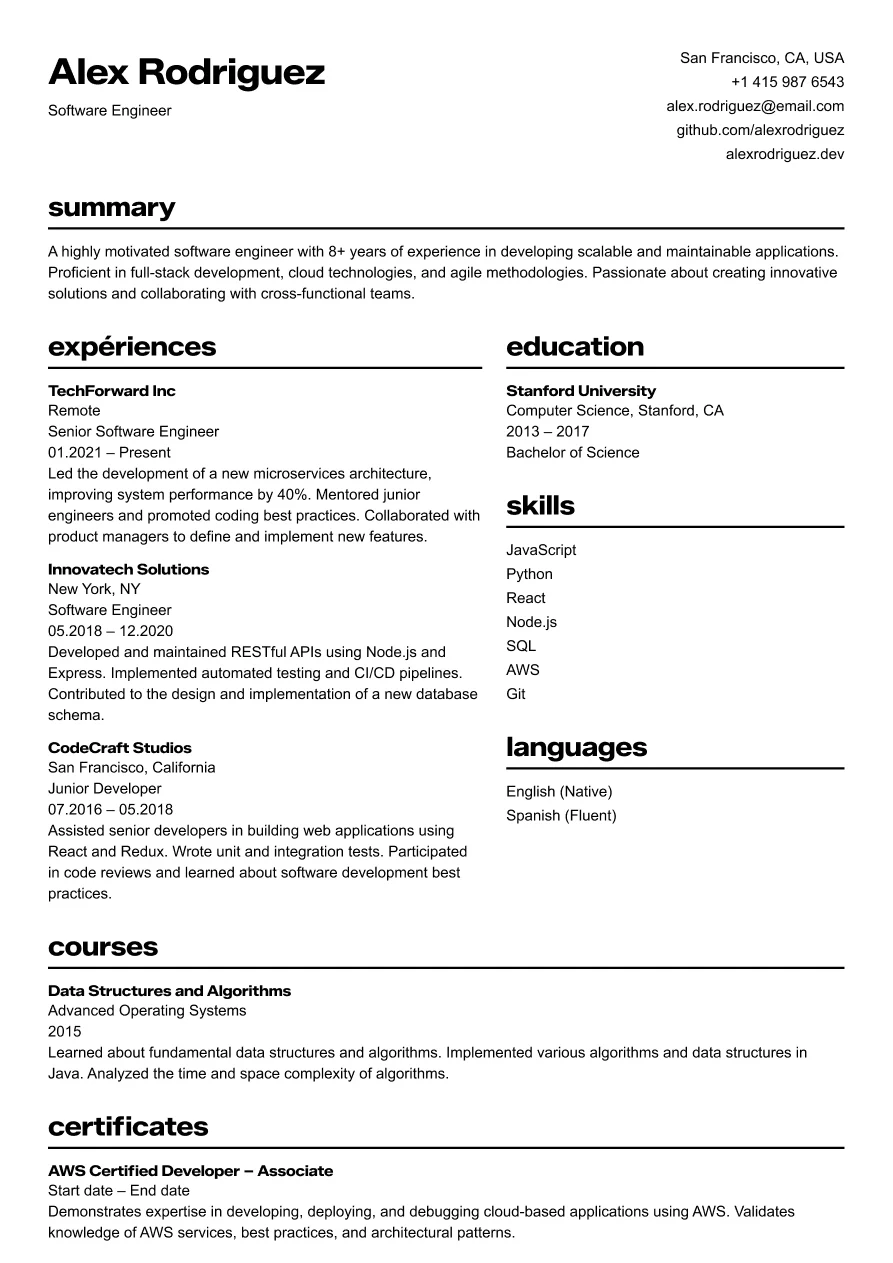
Osaka
Clear and structured layout for tech professionals.
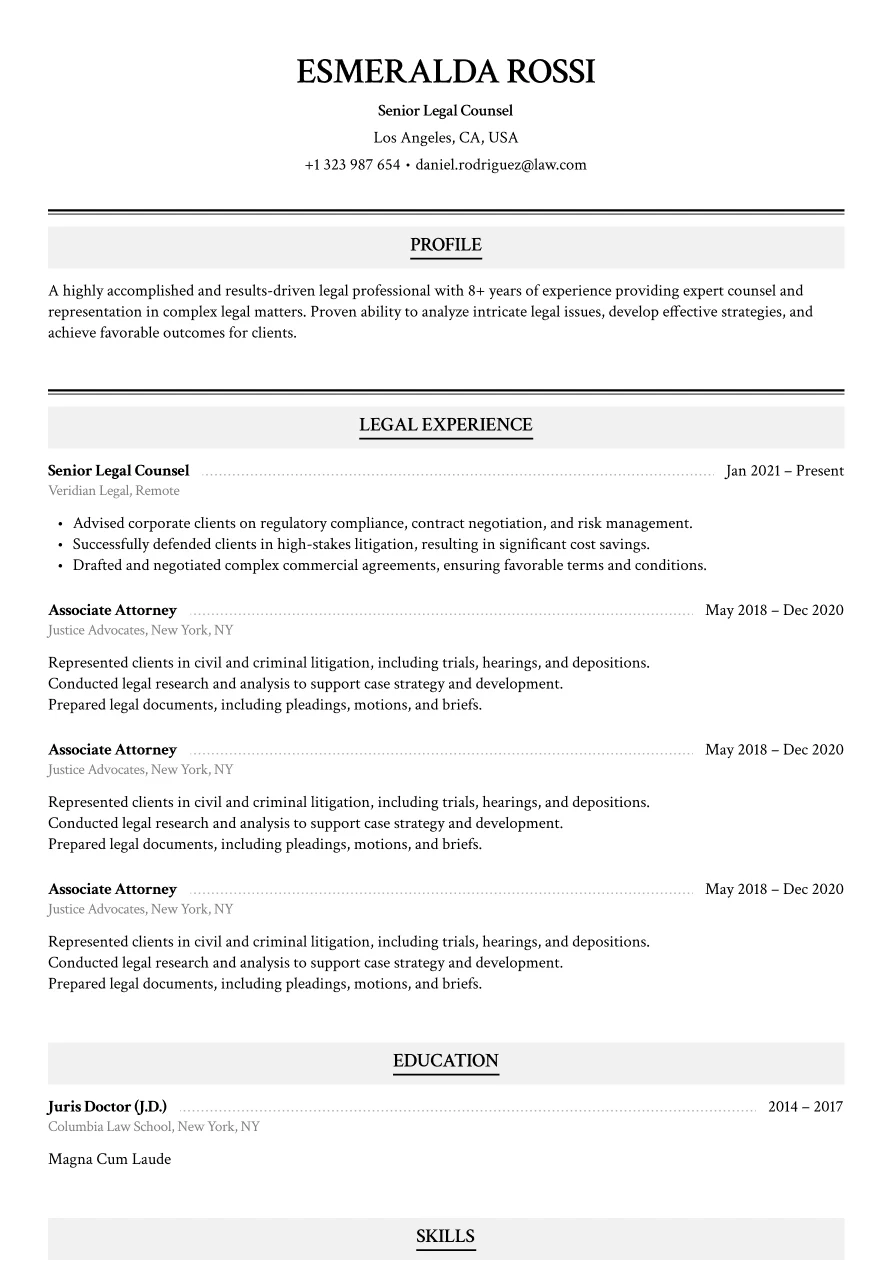
Haven
Classic legal layout with refined section styling.
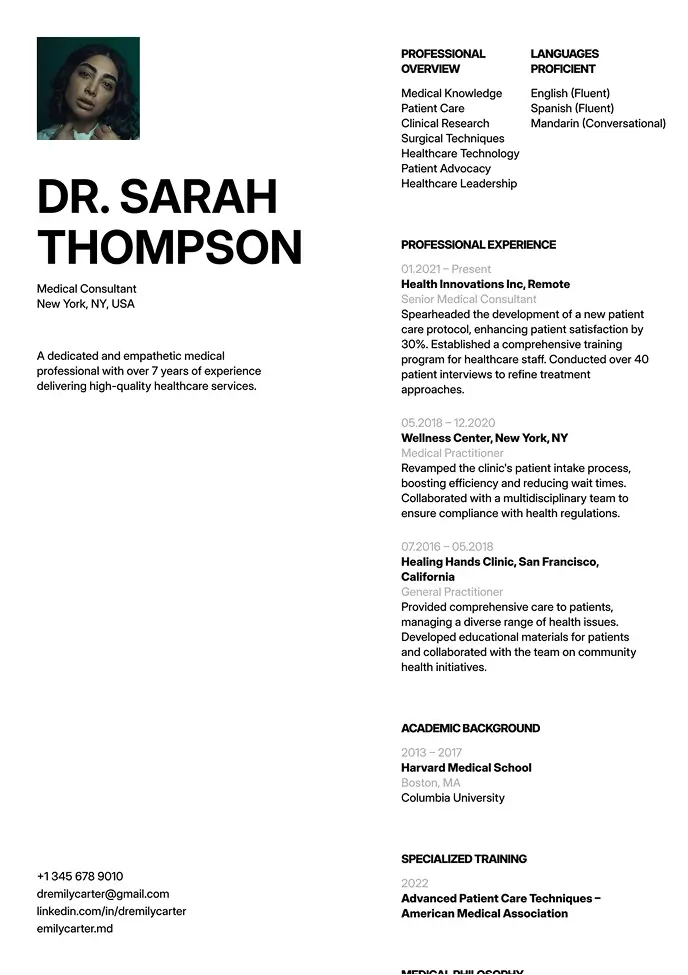
Oxford
Clean layout for clear info flow, great for formal industries.
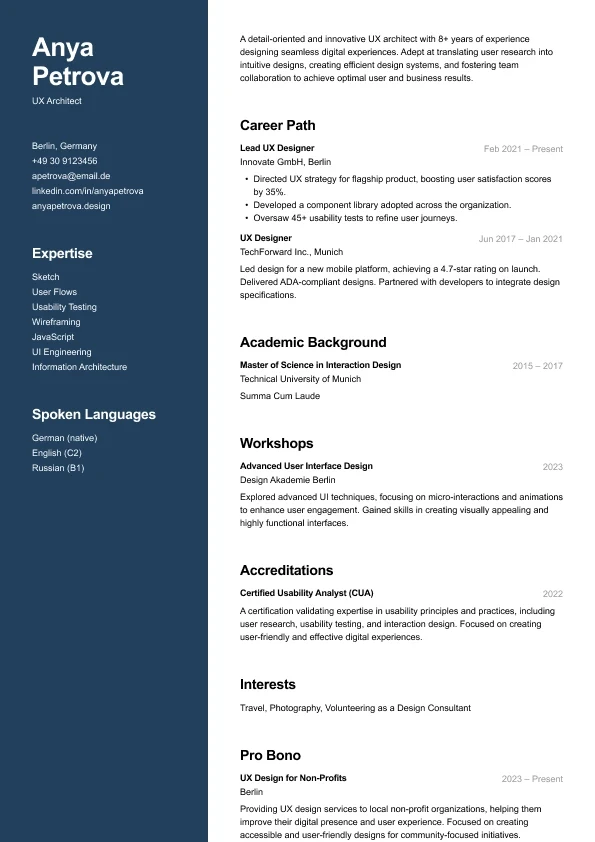
Carbon
A modern two-column resume who want strong visual hierarchy and clean structure.
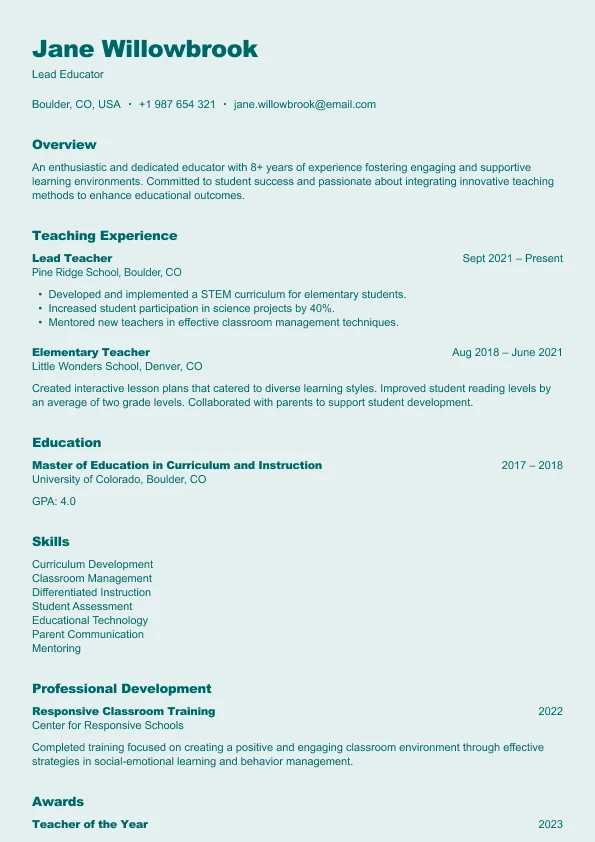
Harbor
A clear, reader-friendly layout built who want a structured and approachable resume.
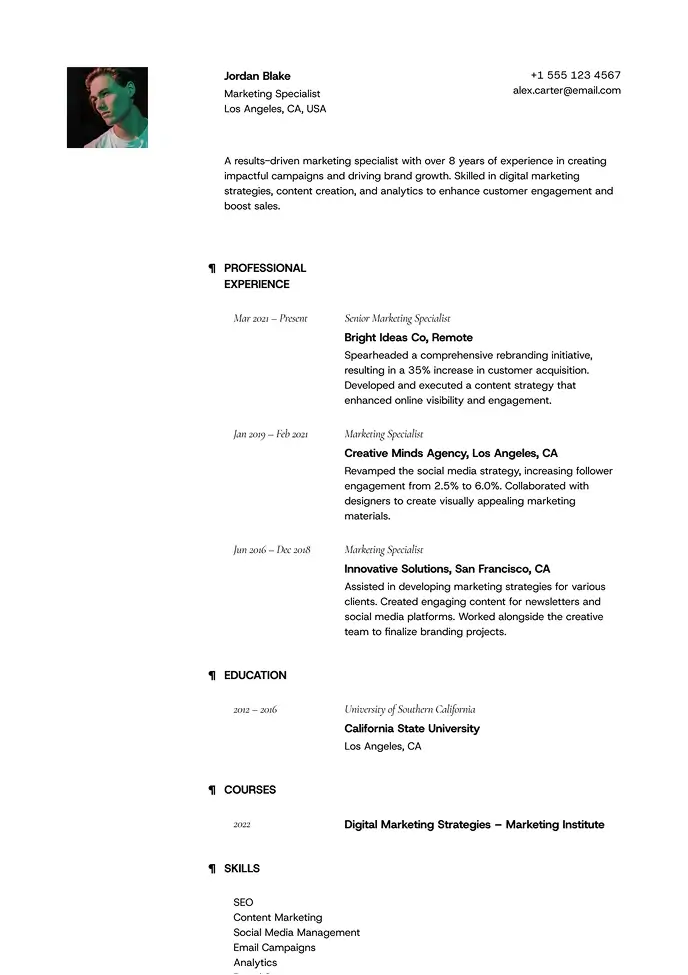
Lima
Minimal and airy, perfect for professionals who value clarity.
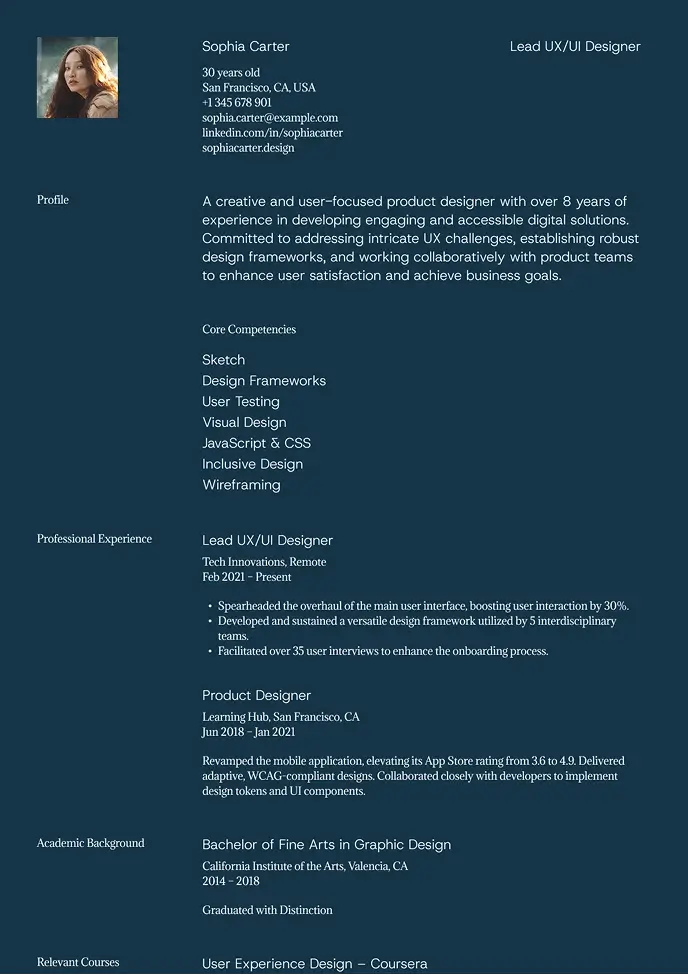
Denali
Dark, stylish design that highlights key details with contrast.
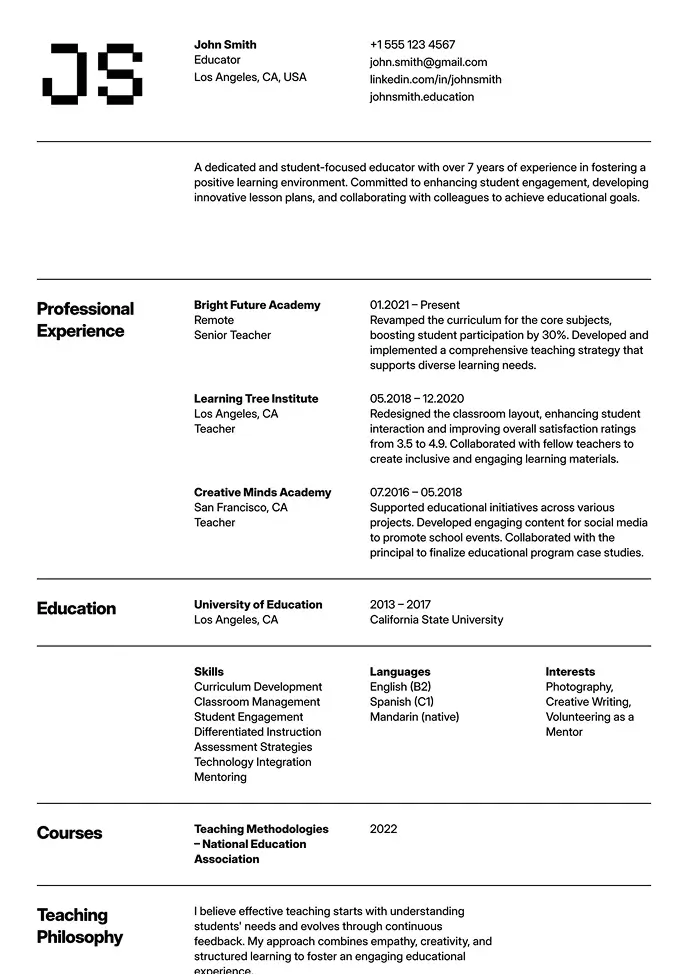
Oslo
Classic structure with modern typography and grid-based layout.
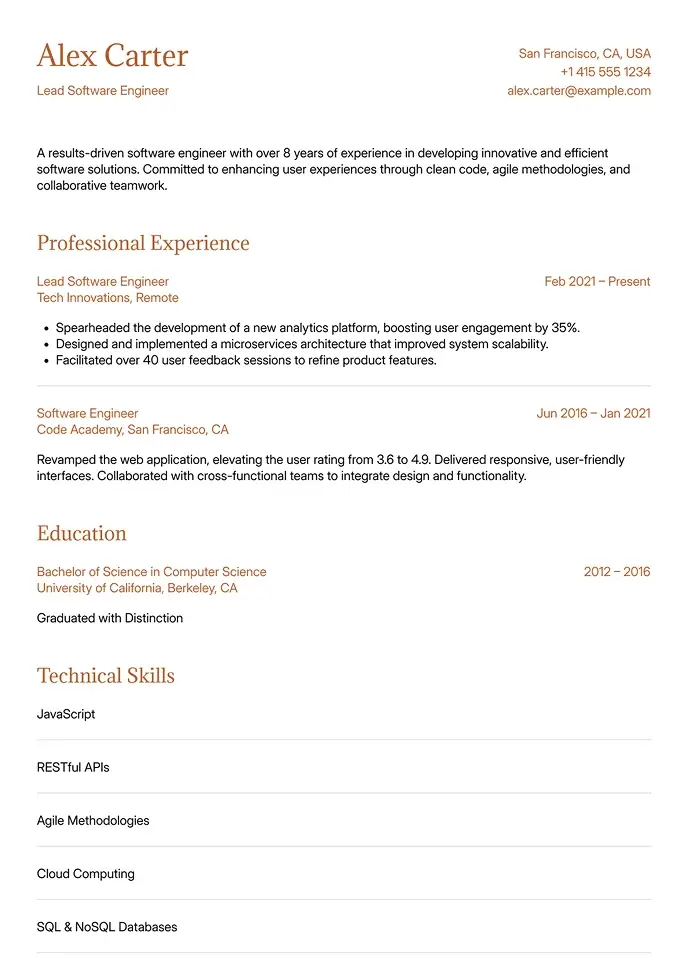
Canyon
Simple and clean, built for technical or structured resumes.
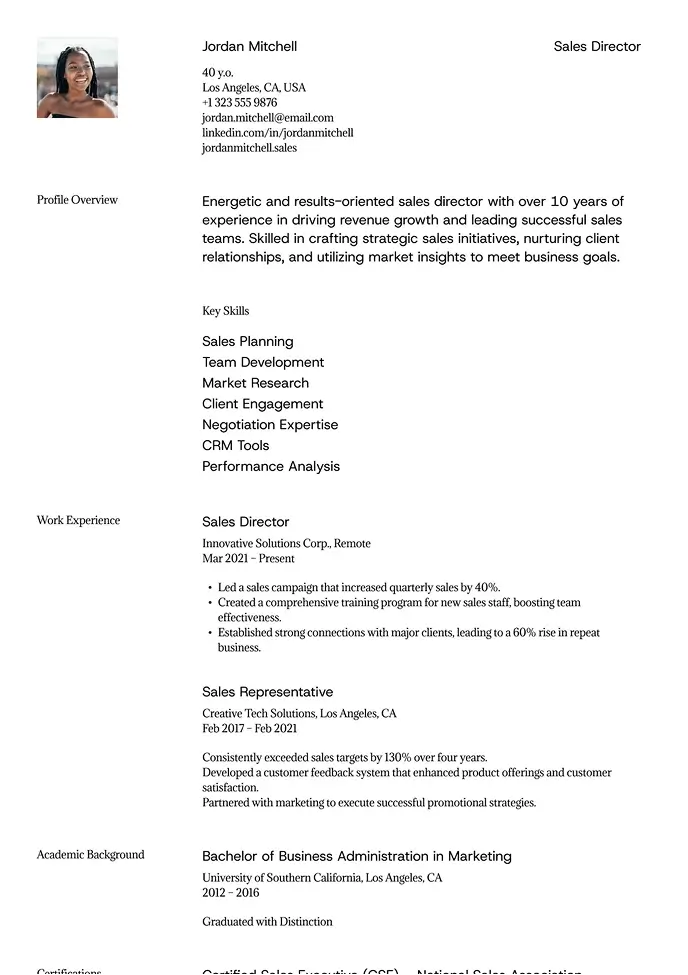
Sienna
Professional layout with a clear focus on leadership.
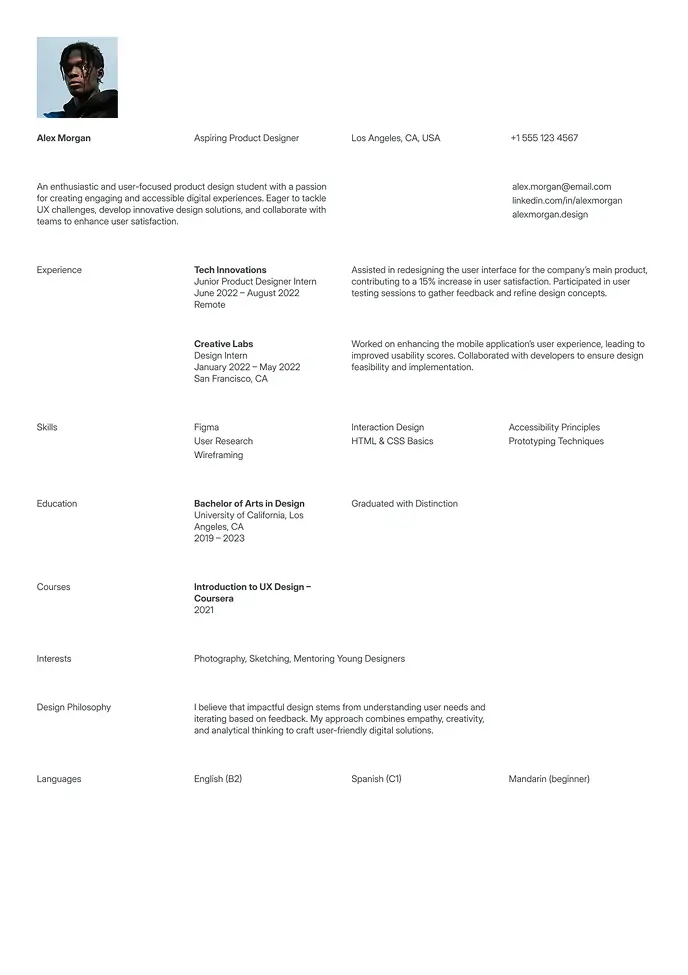
Berlin
Clean and simple resume, great for students or interns.
Free Resume Templates
Start building your resume for free. Use the resume builder and explore templates with free access. Create, customize, and preview your resume before deciding to export.
Simple Resume Templates
Keep it clean and clear. These simple resume templates use timeless layouts and balanced spacing to make your skills stand out without distraction. Ideal for students, entry-level roles, and professionals who value structure.
Professional Resume Templates
Polished and reliable designs built to highlight experience and leadership. These professional resume templates help you impress hiring managers across corporate, finance, or administrative positions.
Modern Resume Templates
Contemporary, bold, and easy to scan. Our modern resume templates feature smart typography and visual hierarchy — perfect for creatives, marketers, and tech professionals.
ATS Resume Templates
Pass the scan. These ATS-optimized resume templates are structured for Applicant Tracking Systems, ensuring your keywords and formatting are read correctly and your resume never gets lost.
Word Resume Templates
Resume templates for Microsoft Word. Easy-to-edit resume templates designed specifically for Word. Simple formatting that stays consistent after downloading.
PDF Resume Templates
Ready to send anywhere. Download clean, fully formatted PDF resume templates that maintain their layout across devices and recruiters’ platforms.
One Page Resume Templates
Concise layouts that fit your experience on a single page. Perfect for early-career professionals or focused applications.
Two-column Resume Templates
Structured layouts that help organize skills, experience, and details more efficiently without overwhelming the reader.
Creative Resume Templates
Stand out with a design-forward layout that stays clear and easy to read. Great for creative roles, modern companies, and anyone who wants a bit more personality in their resume.
How to Choose the Right Resume Template
The right template depends on three things: the industry you're targeting, the type of company you're applying to, and your career stage. Use this guide to find the correct category — then browse the designs within it.
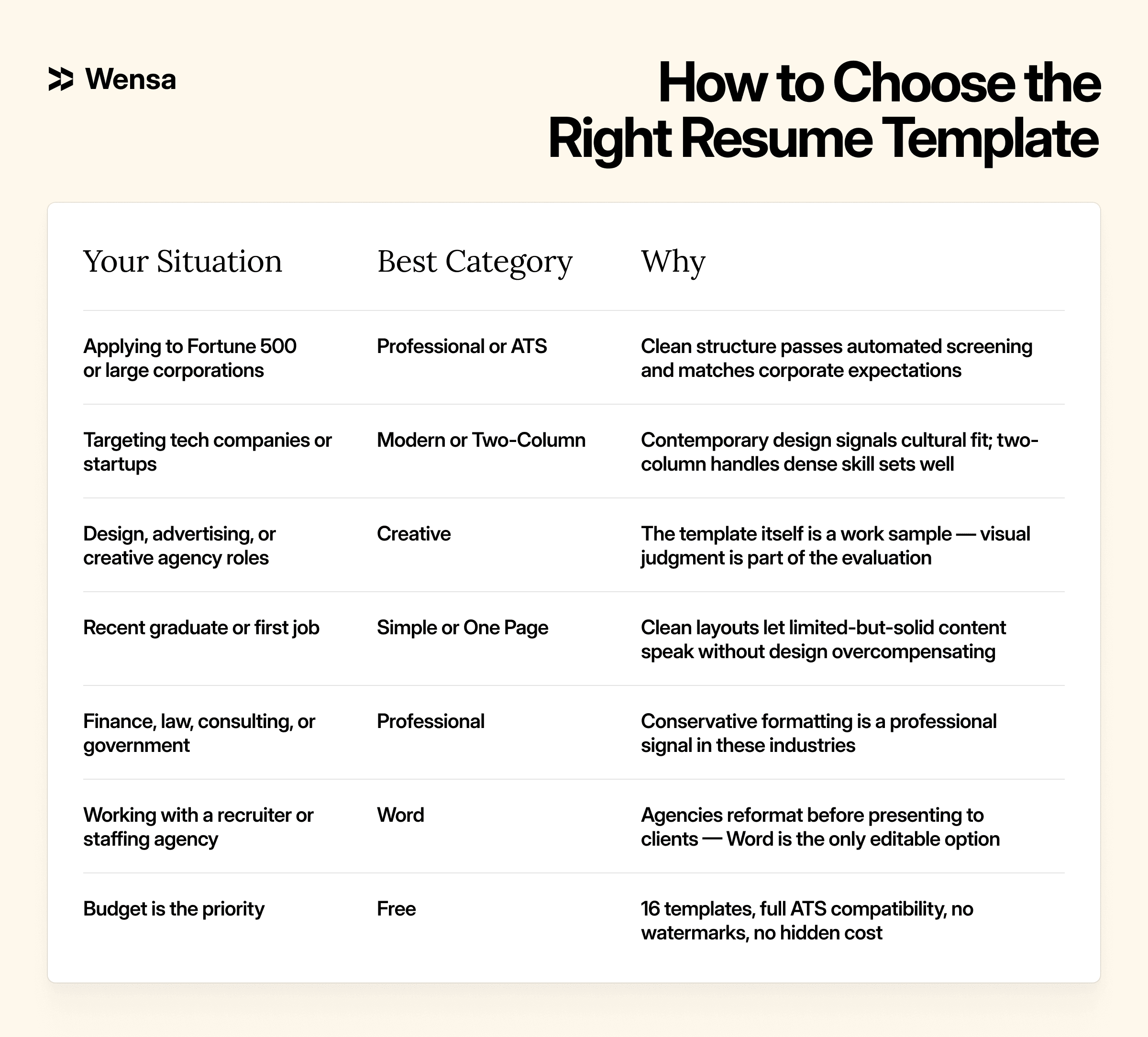
Not sure what your resume should say? See how professionals in your field structure their experience in our resume examples by profession. And if you're starting from scratch, our guide to resume formats explains the difference between chronological, functional, and hybrid layouts before you choose a template.
Resume Templates and ATS: What Every Applicant Needs to Know
Over 99% of Fortune 500 companies use Applicant Tracking Systems to screen resumes before a human sees them. Platforms like Workday, Greenhouse, Lever, and Taleo parse your resume automatically — extracting your employment history, skills, and education into structured fields. If your template confuses the parser, your application gets scored low or dropped entirely regardless of how qualified you are.
The formatting elements that most commonly break ATS parsing:
Text boxes and floating objects — content inside text boxes is frequently skipped entirely by older ATS versions still widely in use
Two-column layouts built with text boxes — parsed left-to-right, these produce scrambled output where skills end up inside job descriptions
Embedded graphics and icons — skill-level bars, profile photos, and decorative icons create noise parsers can't process
Contact info in headers or footers — many ATS systems don't parse these sections; your name and email belong in the main body
Non-standard section headings — "Career Story" confuses parsers that expect "Work Experience" and "Skills"
All templates at wensaresume.com are built with ATS compatibility as a baseline — standard paragraph formatting, conventional section labels, and no embedded graphics. For a deeper look at how to optimize your content (not just format) for ATS keyword matching, see our ATS resume tips guide.
Resume Templates by Career Stage
Your career level changes what a strong resume looks like — not just the content, but structure, length, and which sections carry the most weight. Our step-by-step resume writing guide covers this in detail — useful reading before you start filling in any template.
Entry-level and recent graduates (0–2 years)
One page. Potential over experience. Lead with education if it's recent and relevant, then highlight internships, academic projects, and transferable skills.
Simple, clean layouts work best at this stage — they let sparse-but-solid content speak without design overcompensating. The most common mistake here is choosing a heavily designed template that draws attention to what's missing rather than what's there.
At entry level, content brevity and layout clarity matter more than visual ambition.
Mid-career professionals (3–10 years)
One to two pages. The challenge is prioritization, not volume. You have enough experience to fill the space — the question is what actually belongs there for this specific role.
Two-column layouts excel at this stage: structured sidebar space for a growing skill set, main column for work history that needs room to breathe. Modern templates fit tech and marketing roles well; professional templates suit finance and corporate environments.
Quantified achievements in every bullet point become essential here. Numbers convert better than descriptions at every seniority level — but especially once you have a track record to point to.
Senior and executive candidates (10+ years)
Two pages, focused on scope and outcomes. Senior resumes are not an exhaustive career history — they are a curated argument for why you're the right person for one specific role.
A compelling summary statement at the top is non-negotiable. Recruiters at this level spend less time reading and more time scanning for evidence of leadership scale, team size, and measurable business impact.
ATS compatibility still matters at executive level — most large organizations run even senior applications through automated screening before a recruiter reviews them.
Resume Format Guide: Word, PDF, and Google Docs
The file format you submit affects both how ATS systems parse your application and how your resume looks when a recruiter opens it. Here's when to use each. For a detailed breakdown of the trade-offs, see our PDF vs Word resume guide.
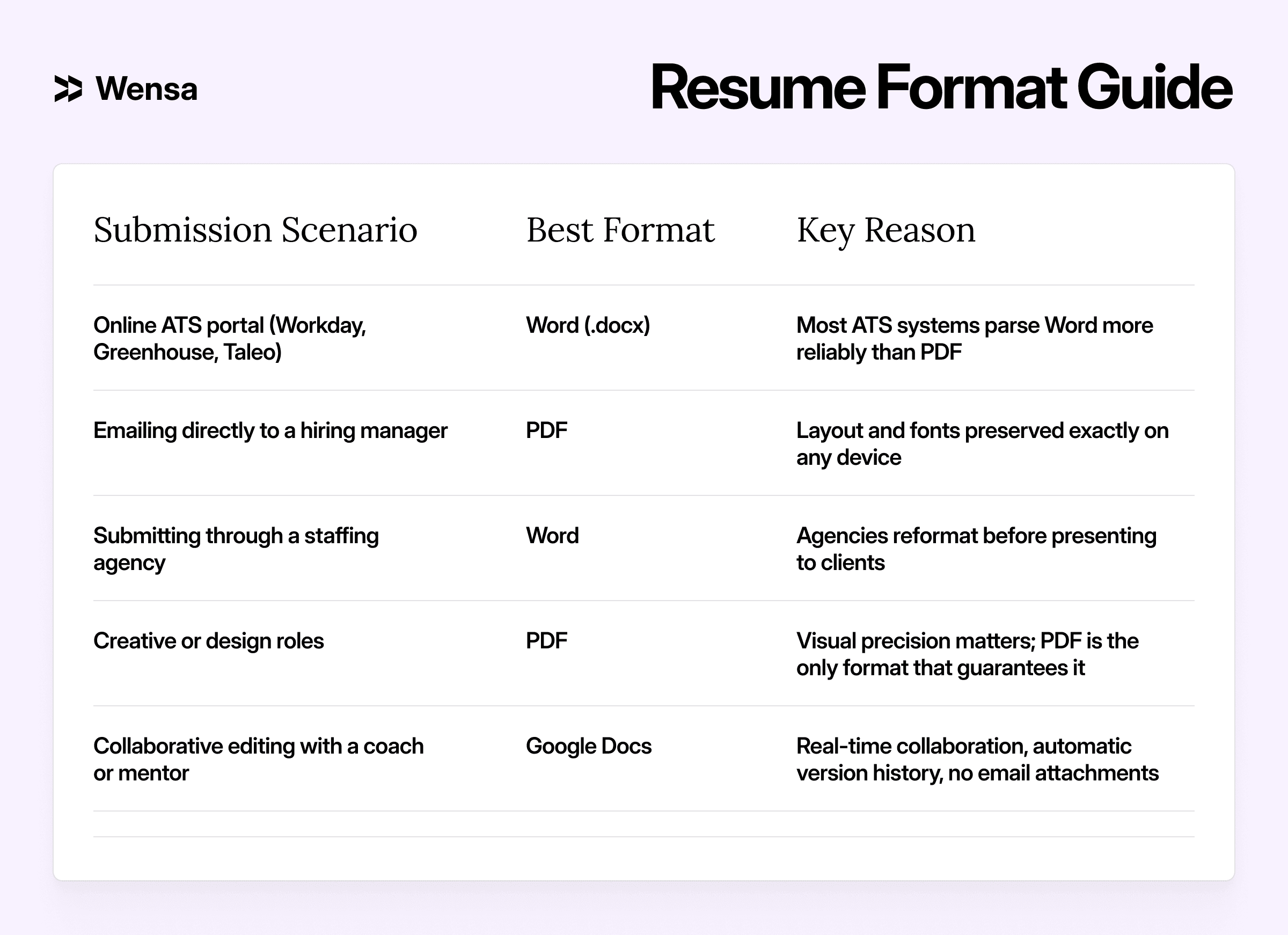
The practical approach for most job seekers: start in Word, build and tailor your content, then export to PDF for direct submissions and keep the .docx for portal applications and agency submissions.
Frequently Asked Questions About Resume Templates
What is the best resume template for ATS?
Single-column layouts with standard section headings and no text boxes, images, or graphics. The ATS and simple categories at Wensa both score excellent across Workday, Greenhouse, and Taleo.
How many resume templates does Wensa have?
Over 110 resume templates across 11 categories. 16 are completely free with no watermarks. The full collection covers simple, professional, modern, ATS-optimized, and creative designs in Word, PDF, and Google Docs formats.
What's the best resume template for someone with no experience?
Clean, simple, one-page layouts. They let your education, internships, and transferable skills take center stage without design elements that highlight what you don't yet have. Before building, check our resume examples for your target role to understand exactly what entry-level recruiters expect to see.
Should I use a free or paid resume template?
For most job seekers, free is more than sufficient. ATS compatibility, professional design quality, and clean formatting are all present in free templates. Paid tiers add a wider variety of designs and customization options — not better quality. All 16 free templates here are fully ATS-compatible and watermark-free.
What's the difference between a resume and a CV?
In the US and Canada, a resume is a concise, role-specific document — typically one to two pages. A CV is used internationally and in academic contexts, more comprehensive in scope and length. If you're applying to roles outside North America, see our CV templates for international applications.
Where do I start if I've never written a resume before?
Pick a template from the simple or free category above, then use it alongside our step-by-step writing guide. Everything you need to get from blank page to submission-ready is on Wensa.
Recruiter Approved
Build a Resume That Works. Literally.
Our templates are designed to get you noticed, shortlisted, and hired — fast.
Have More Questions?
What is a resume builder?
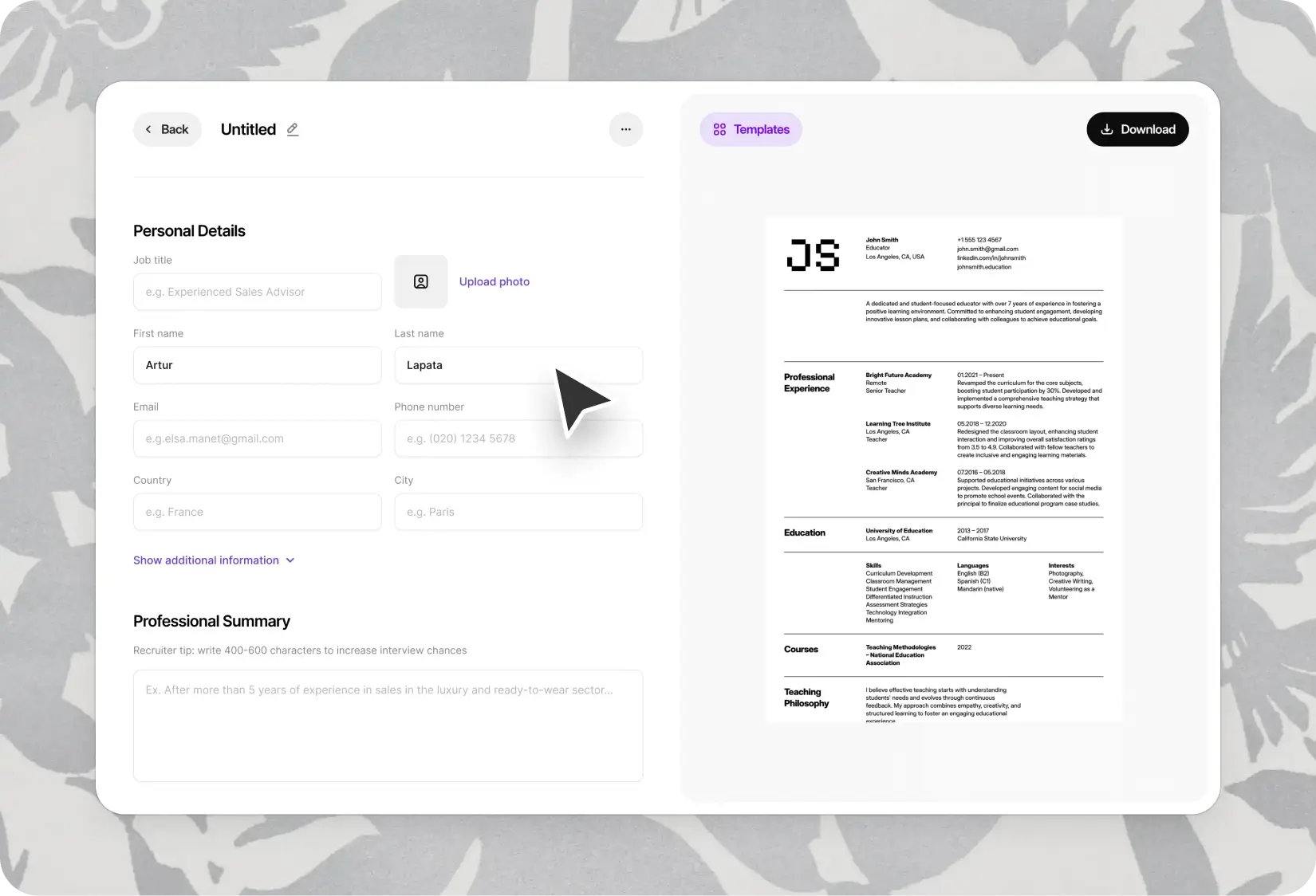
A resume builder is an online tool that helps you create professional, job-ready resumes quickly. It guides you through each section and offers templates optimized for recruiters and Applicant Tracking Systems (ATS). Try our online resume builder to get started in minutes.
Do I need a resume and a CV? What’s the difference?
How do I choose the best resume format?
Are your templates ATS-friendly?
Can I download my resume as a PDF?
Can I use the builder on mobile?
What should I include in my resume?
Do you offer resume examples by profession?
Is it safe to store my resume on your platform?
Will my resume be shared or published?
Can I update my resume later?
How do I write a resume with no experience?
How long should my resume be?
What makes your resume builder better than others?
How often should I update my resume?
© 2026 Wensa. All right reserved.